
How do I know that my OpenBCI rig is working based on readings on OpenBCI GUI?
 jackietanyen
Singapore
jackietanyen
Singapore
Hello everyone,
I'm based in Singapore (50Hz mains), and I borrowed an old OpenBCI unit (Cyton) from a professional acquaintance, and:
- 3D printed my own Mark III headset with the electrode holders and whatnot
- used normal regular jumper cables
- used comfort combs from the store (link)
- screwed on my own nuts and screws
Here's what I see on the OpenBCI GUI when I used my own 8-channel montage - one is with 50+60Hz filter and the other is without:
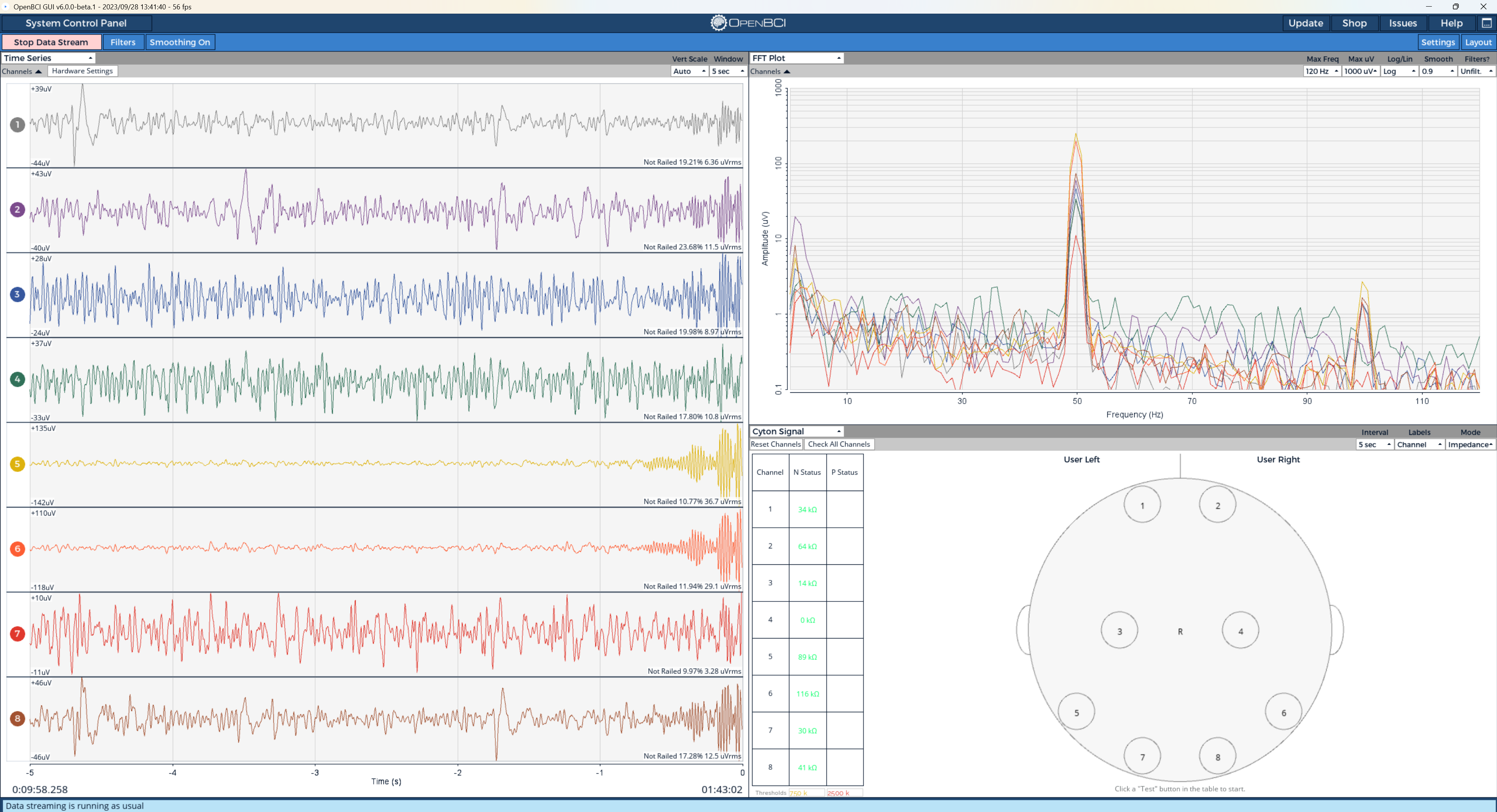
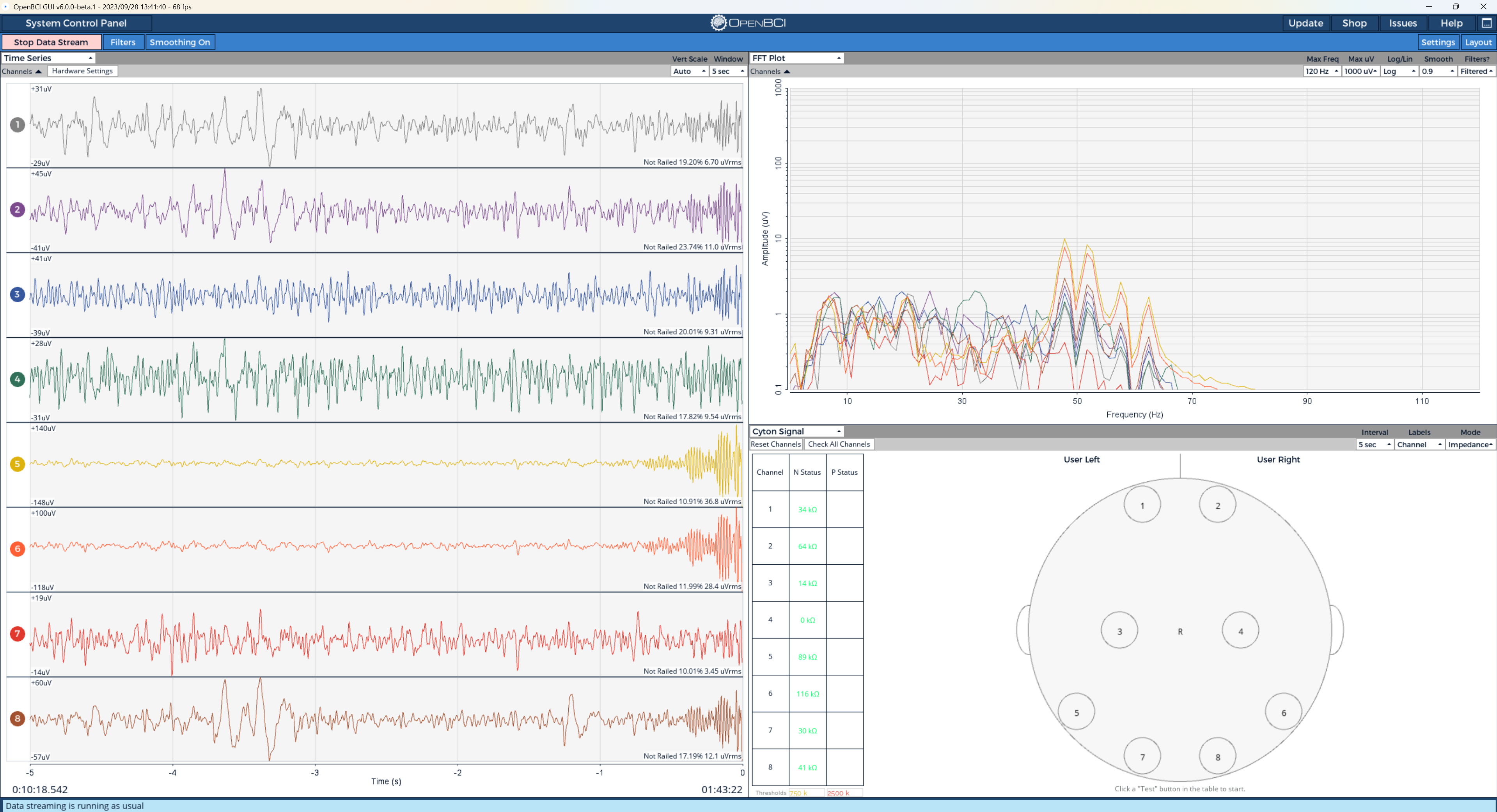
How do I know if my headset is working properly? I am very perplexed by the straight lines after filtering. Thank you in advance everyone!
Comments
Hi Jackie,
When you say straight lines are you talking about your supression of 70Hz+ in the bottom image? What do you see with a 40Hz low pass filter.
You can record some resting data, look for eyes open-eyes closed differences or even better record some task data (using EEG-ExPy) and see if you can collect some ERPs to test out your hardware.
Hope that helps.
Cheers,
-Morgan
Morgan, thanks.
Jackie, hi. I see you have the Time Series widget graph 'Vertical Scale', set to 'Auto' which tends to zoom in on a very low range (below 10 microvolts) of EEG. Typical EEG range is more like 80 - 100 uV full scale. So recommend just setting Vert Scale to that range.
As Morgan suggests, the classic easy test for parietal or occiput scalp locations, is to watch for increased alpha when you close your eyes. This will be visible in the Time Series, FFT, and Band Power widgets. You definitely want to continue using the notch filter at 50 Hz. But as Morgan suggests, you can even employ a bandpass filter from say .5 to 40 Hz to further cut down on the mains noise.
https://docs.openbci.com/GettingStarted/Biosensing-Setups/EEGSetup/ [see Alpha section]
https://docs.openbci.com/Software/OpenBCISoftware/GUIWidgets/#filters [filter adjustment]
Regards, William