
Supplemented tutorial for Cyton Radios programming
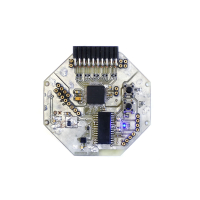
Hello,
I´ve been struggling the past months with the cyton radios programming and I´d like to share the way I´ve manage to succesfully do it. The first problem I´ve faced was to install the RFduino board on the Arduino IDE. I´ve tried many times to manually install the board using this json file (http://rfduino.com/package_rfduino166_index.json) but i always got "ERROR downloading etc.". After researching on the web archives, I´ve found this json that worked out perfectly (https://gist.githubusercontent.com/per1234/f7822073e05276c4243740eaab4235d1/raw/9c34051294ddd54dbbdf3bec392df0afef8da938/package_rfduino166_index.json). After this I´ve downloaded the RFduino repo from OpenBCI that you can download here (https://docs.openbci.com/Cyton/CytonRadios/) and included all the packages from that zip file to the library of the json file. Especially you need the Platform.txt and RFDLoader. In order to compile the Radio sketches, you need to modify the Platform.txt otherwise it´s not gonna work. I´m gonna post the finished txt data here so you can copy and use it:
RFduino compile variables
-------------------------
name=RFduino Boards
compiler.path={runtime.ide.path}/hardware/tools/gcc-arm-none-eabi-4.8.3-2014q1/bin/
compiler.c.cmd=arm-none-eabi-gcc
compiler.c.flags=-c -g -Os -w -ffunction-sections -fdata-sections -nostdlib --param max-inline-insns-single=500 -Dprintf=iprintf
compiler.c.elf.cmd=arm-none-eabi-g++
compiler.c.elf.flags=-Os -Wl,--gc-sections
compiler.S.flags=-c -g -assembler-with-cpp
compiler.cpp.cmd=arm-none-eabi-g++
compiler.cpp.flags=-c -g -Os -w -ffunction-sections -fdata-sections -nostdlib --param max-inline-insns-single=500 -fno-rtti -fno-exceptions -Dprintf=iprintf
compiler.ar.cmd=arm-none-eabi-ar
compiler.ar.flags=rcs
compiler.objcopy.cmd=arm-none-eabi-objcopy
compiler.objcopy.eep.flags=-O ihex -j .eeprom --set-section-flags=.eeprom=alloc,load --no-change-warnings --change-section-lma .eeprom=0
compiler.elf2hex.flags=-O ihex
compiler.elf2hex.cmd=arm-none-eabi-objcopy
compiler.ldflags=
compiler.size.cmd=arm-none-eabi-size
size.script.path={runtime.platform.path}/tools
size.script.cmd=size
size.script.cmd.windows=size.bat
compiler.define=-DARDUINO=
this can be overriden in boards.txt
build.extra_flags=
RFduino compile patterns
------------------------
Compile c files
recipe.c.o.pattern="{compiler.path}{compiler.c.cmd}" {compiler.c.flags} -mcpu={build.mcu} -DF_CPU={build.f_cpu} -D{software}={runtime.ide.version} {build.extra_flags} {includes} {build.variant_system_include} "{source_file}" -o "{object_file}"
Compile c++ files
recipe.cpp.o.pattern="{compiler.path}{compiler.cpp.cmd}" {compiler.cpp.flags} -mcpu={build.mcu} -DF_CPU={build.f_cpu} -D{software}={runtime.ide.version} {build.extra_flags} {includes} {build.variant_system_include} "{source_file}" -o "{object_file}"
Create archives
recipe.ar.pattern="{compiler.path}{compiler.ar.cmd}" {compiler.ar.flags} "{build.path}/{archive_file}" "{object_file}"
Combine gc-sections, archives, and objects
recipe.c.combine.pattern="{compiler.path}{compiler.c.elf.cmd}" {compiler.c.elf.flags} -mcpu={build.mcu} {build.extra_flags} "-T{build.variant.path}/{build.ldscript}" "-Wl,-Map,{build.path}/{build.project_name}.map" -o "{build.path}/{build.project_name}.elf" "-L{build.path}" -lm -lgcc -Wl,--cref -Wl,--check-sections -Wl,--gc-sections -Wl,--entry=Reset_Handler -Wl,--unresolved-symbols=report-all -Wl,--warn-common -Wl,--warn-section-align -Wl,--warn-unresolved-symbols -Wl,--start-group {object_files} "{build.variant.path}/{build.variant_system_lib}" "{build.variant.path}/libRFduino.a" "{build.variant.path}/libRFduinoBLE.a" "{build.variant.path}/libRFduinoGZLL.a" "{archive_file_path}" -Wl,--end-group
Create eeprom
recipe.objcopy.eep.pattern=
Create hex
recipe.objcopy.hex.pattern="{compiler.path}{compiler.elf2hex.cmd}" {compiler.elf2hex.flags} "{build.path}/{build.project_name}.elf" "{build.path}/{build.project_name}.hex"
Compute size
recipe.size.pattern="{compiler.path}{compiler.size.cmd}" -A "{build.path}/{build.project_name}.elf"
recipe.size.regex=^(?:.text|.data|.rodata|.ARM.exidx)\s+([0-9]+).*
recipe.size.regex.data=^(?:.data|.bss|.noinit)\s+([0-9]+).*
recipe.size.regex.eeprom=^(?:.eeprom)\s+([0-9]+).*
RFduino Uploader tools
----------------------
tools.RFDLoader.cmd=RFDLoader
tools.RFDLoader.cmd.windows=RFDLoader.exe
tools.RFDLoader.upload.params.verbose=
tools.RFDLoader.upload.params.quiet=
tools.RFDLoader.path={runtime.platform.path}
tools.RFDLoader.upload.pattern="{path}/{cmd}" -q {serial.port} "{build.path}/{build.project_name}.hex"
The next step was to modify the RFduinoGZLL.h because I always got the error 'class RFduinoGZLLClass' has no member named 'channel' while compiling the sketch. To fix this issue add, at the very end of the script (under the line "extern RFduinoGZLLClass RFduinoGZLL;" ) extern int RFduinoGZLL_channel;
After this editing, I´ve followed the required steps to programm the Radios that you can find here https://docs.openbci.com/Cyton/CytonRadios/ and everything worked out perfectly, so that now the dongle and the cyton board are communicating.
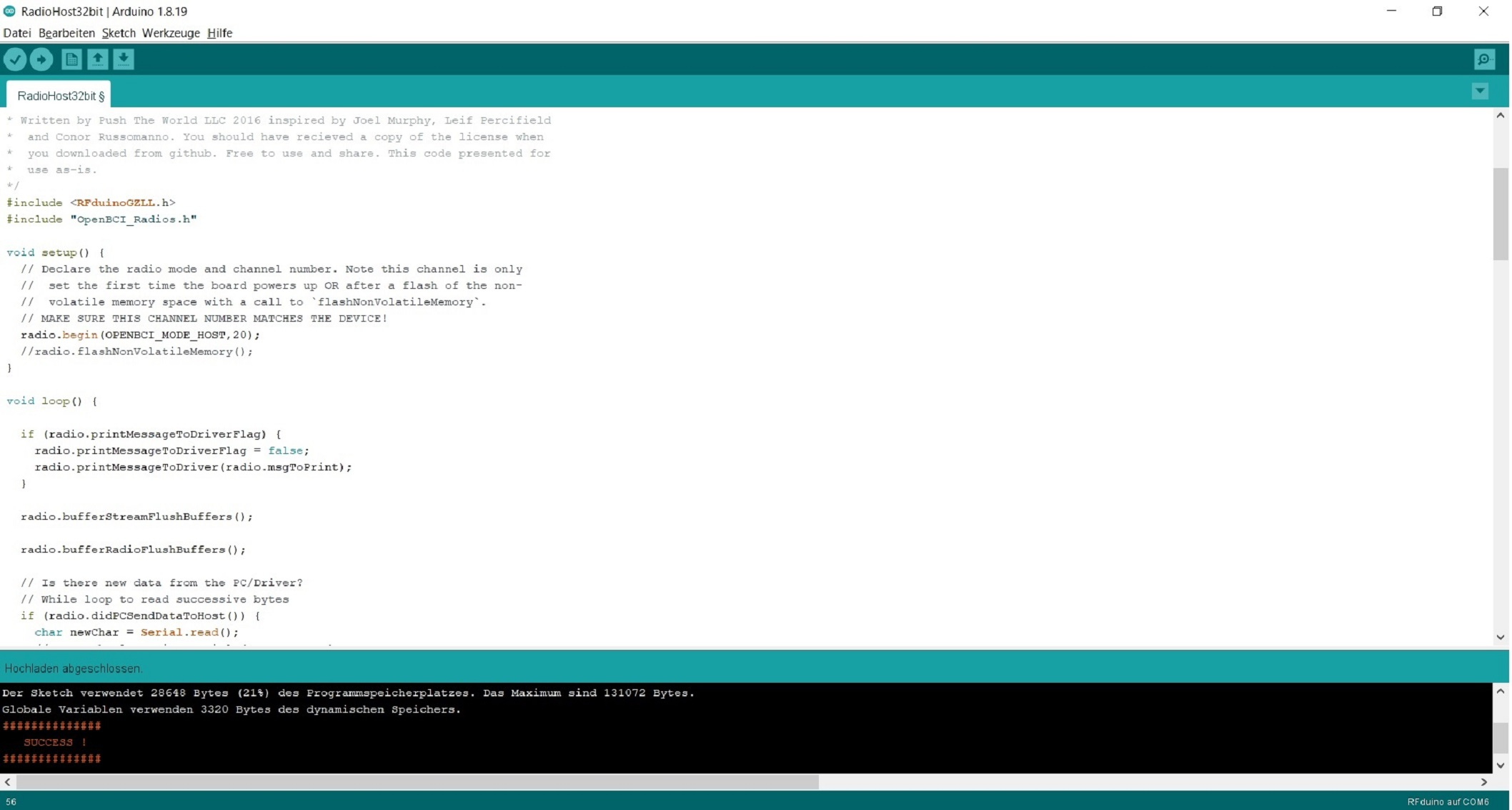
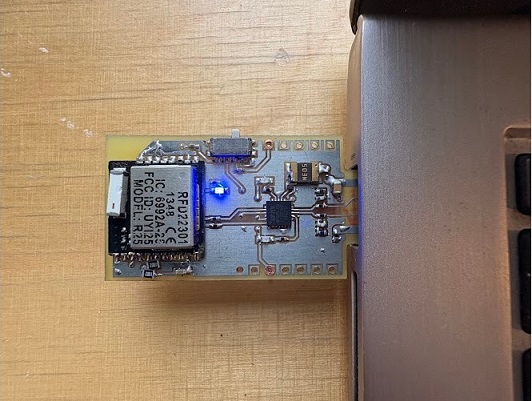
If you have some questions feel free to ask 
Happy tinkering
Comments
Hi, @danysab, thank you for the great tutorial and your sharing.
I just want to reformat your
platform.txtso that it might be easier for other user to copy-paste.Maybe I should mentioned also that i try to use it in macOS and failed, so i switched to Windows.
@nugroho_budi thank you for reformatting! Yes I used windows and Linux for flashing. I forgot to write this. Happy it worked out well!
Best regards