
Biosensing Starter Bundle (Ganglion + headband): Noisy Data

Hello Support Team,
I recently purchased the Biosensing Starter Bundle featuring the 4-channel Ganglion board and I am having trouble acquiring meaningful data. I have followed the setup instructions from the official tutorial video (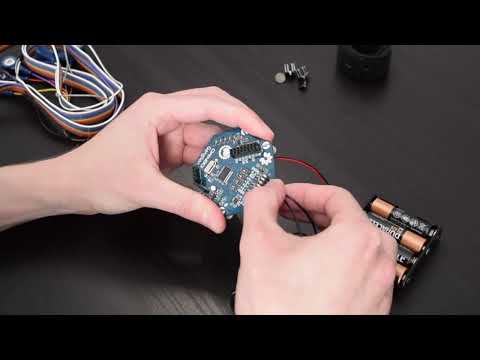 ), but my results are not as expected.
Here is a summary of the issues I am encountering:
- Identical Data On/Off Head: I am receiving nearly identical data whether the electrodes are worn on my head or left completely unconnected. The signal does not appear to be physiological.
- Unusual Raw Data: The raw data trace is very erratic and does not resemble a typical EEG signal. (Please see attached image).
- Incorrect Widget Status: The GUI's "Focus/Relax" widget consistently shows "Not Relaxing," even when I am sitting still and relaxed. This contradicts the "Relaxing" state shown in the tutorial video.
- Discrepant Plots: Both the Time Series and FFT plots from my session look significantly different from the examples in the video.
- No Band Power Fluctuation: The Band Power metrics remain flat and show no change, even with the electrodes applied to my scalp.
My Setup & Troubleshooting Steps:
- Hardware: Biosensing Starter Bundle (Ganglion 4-channel).
Electrode Placement:
- Channel 0 & 2: Flat electrodes on my forehead.
- Channel 1 & 3: Comb electrodes near my temples.
- (Note: Also mention where you placed the reference/ground electrodes, e.g., "Reference and Ground electrodes were clipped to my earlobes.")
Verification: I have double-checked that all wires are securely connected to the correct pins on the Ganglion board.
- Impedance Check: I am concerned about the quality of my electrode contact. I have taken screenshots of the impedance values both with the electrodes on my head and without them connected. These are attached for your review.
Could you please help me diagnose this? Specifically, could this be an issue with poor electrode contact, a grounding problem, environmental noise, or a potential hardware fault?
Thank you for your assistance.
When I wear Ganglion


When I did not wear Ganglion


Comments
My leads and pins are connected a
s shown in the figure
Hi Simon,
Are you sure your channel switches are in the correct position? You want all 4 switches to be in the DOWN position. Your overview photo shows all the switches in the default UP position, used for differential EMG or ECG.
https://docs.openbci.com/Ganglion/GanglionSpecs/#inverting-input-select-switches
This is what is required for EEG referenced to the REF pin.
https://docs.openbci.com/GettingStarted/Biosensing-Setups/EEGSetup/#1-connect-your-electrodes-to-openbci
Additonally, your images are showing TONS of environmental noise. Such as from EMF, electromagnetic fields that surround things like:
If this does not shift substantially with the correct switch positions, then experiment with moving around to other 'electrically quieter' environments.
Regards, William
Hey Willam, thanks for your reply. I noticed that each of the SW1–4 on the mainboard has a layer of transparent plastic on its surface (I just got this device recently). I tried to pry them off with my fingernails, but I wasn’t able to remove them.
Could you please let me know how to remove this film? If it can't be removed, I won’t be able to adjust the switches.

Do I need to set all four switches to the “down” position?
(1) you don't have to remove the film, just force the switch with a small screwdriver or pointed tool. It will click over. Yes ALL 4 switches down.
(2) in referential mode, ONLY the top pins are used. So REF and D_G are connected to top pins.
Thank you for your reply.
I was only able to move the switch slightly downward, but I’m not sure what exactly counts as the "DOWN" position (see the attached image for my current result).

Yes, I have connected the two electrodes clipped to my ears to the top pins of REF and D_G respectively. Regarding your previous suggestion ("This is what is required for EEG referenced to the REF pin."), could you clarify what that entails? Do I need to make any additional adjustments?
You have flipped the switches correctly. Just compare your situation to what is shown on the page, previously shown:
https://docs.openbci.com/Ganglion/GanglionSpecs/#inverting-input-select-switches
re: headband setup. Did you read the tutorial on the headband? It ALSO shows the switch configuration. And the D_G, REF connections.
https://docs.openbci.com/AddOns/Headwear/HeadBand/
When you are posting photos, these use up space on our Forum server. So if possible use smaller formats like jpg instead of png and try to keep size in the 1 megabyte range or so. The last photo you posted was 7.6MB.
Please try following the headband tutorial and see if you get better impedances and live data. If your immediate surrounding area seems to have lots of electrical noise, move somewhere quieter.
Regards, William
Thank you, William! I'll submit a smaller image next time. After turning all four switches to the down position, I noticed almost no change in the data on the OpenBCI GUI. Although I followed the tutorial you recommended (https://docs.openbci.com/AddOns/Headwear/HeadBand/), my current configuration seems unchanged. Could you clarify which types of noise you mentioned? For example, do you mean interference from devices like mobile phones?
re: switches.
With your original switch positions, it would have been impossible to achieve any EEG, because EEG is always recorded 'differentially', measuring the voltage difference between the electrode on the scalp and the reference electrode. You had no reference previously because the switches were wrong.
In your new configuration, you should at least see some time series differences in the frontal electrodes when you blink or clench your jaw. Is that not the case?
re: EMF noise
Cell phones are ok, it is stronger emitters like routers, cell towers, poor LED or CFL lighting power supplies, extension cords, AC/DC power supplies, etc. Have you tried another location as I previously suggested?
William
Hi William,
Thank you so much for your detailed reply, guidance and support!
Mention if you are seeing eye blinks, jaw clenches. Also try the eyes closed alpha test mentioned in the tutorials. With eyes closed there should be more alpha (about 10 Hz) generated in the rear 10-20 locations. Parietal and occipital lobes.
Hey William, I find no time series differences in the frontal electrodes when you blink or clench your jaw (see figure).
And in the Band Power window at the lower left, the five types of brain waves remain unchanged. I tried all the smoothing options, but nothing changed.
Look at your Time Series. See the giant pulses happening at 1 second intervals. That is EMF noise. Some crappy piece of electronics or other kind of equipment is getting into the wires of your EEG. Try to locate it it by moving away from your current location. Already discussed this previously.
https://www.amazon.com/s?k=emf+meters&ref=nb_sb_noss
If your phone is mid range or flagship, it has a magnetometer chip used as a compass. It can also work with these apps:
https://www.google.com/search?q=emf+meter+apps+for+phones
Hey William! Thanks for your suggestions!!!