
Clarification on EEG Signal Units from Ganglion Using Python and BrainFlow

I am currently working on acquiring EEG signals from the Ganglion board using Python and the BrainFlow library. The signal I’m receiving appears to be raw data, and I’m unsure whether it’s already in microvolts (µV) or still in ADC counts.
My goal is to process this data further to compute aEEG (amplitude-integrated EEG), so it’s important for me to ensure that the signal units are correct. I’ve read that there are manual ways to convert the raw values to microvolts using gain and scale factors, but I’m not confident whether these conversions are accurate or consistent across sessions/devices.
Can someone confirm if the data acquired via BrainFlow from the Ganglion board is in µV by default or if it requires manual conversion?
If manual conversion is required, what is the most reliable way to do it?
Is there any recommended method to validate that the converted signal is truly in microvolts (e.g., comparing with reference data or using a test signal)?
Any guidance or references would be greatly appreciated.
Comments
All Brainflow devices return data streams in microvolts. No conversion needed.
Thanks for the clarification.

Still can not make sense of the raw data. I use gold-plated electrodes for FP1 and FP2, and Ag-AgCl for FP7 and FP8. This combination gave me the lowest impedance:
-> This is how I record the data using Brainflow:
-> And this is the plot of the raw data without any scaling:
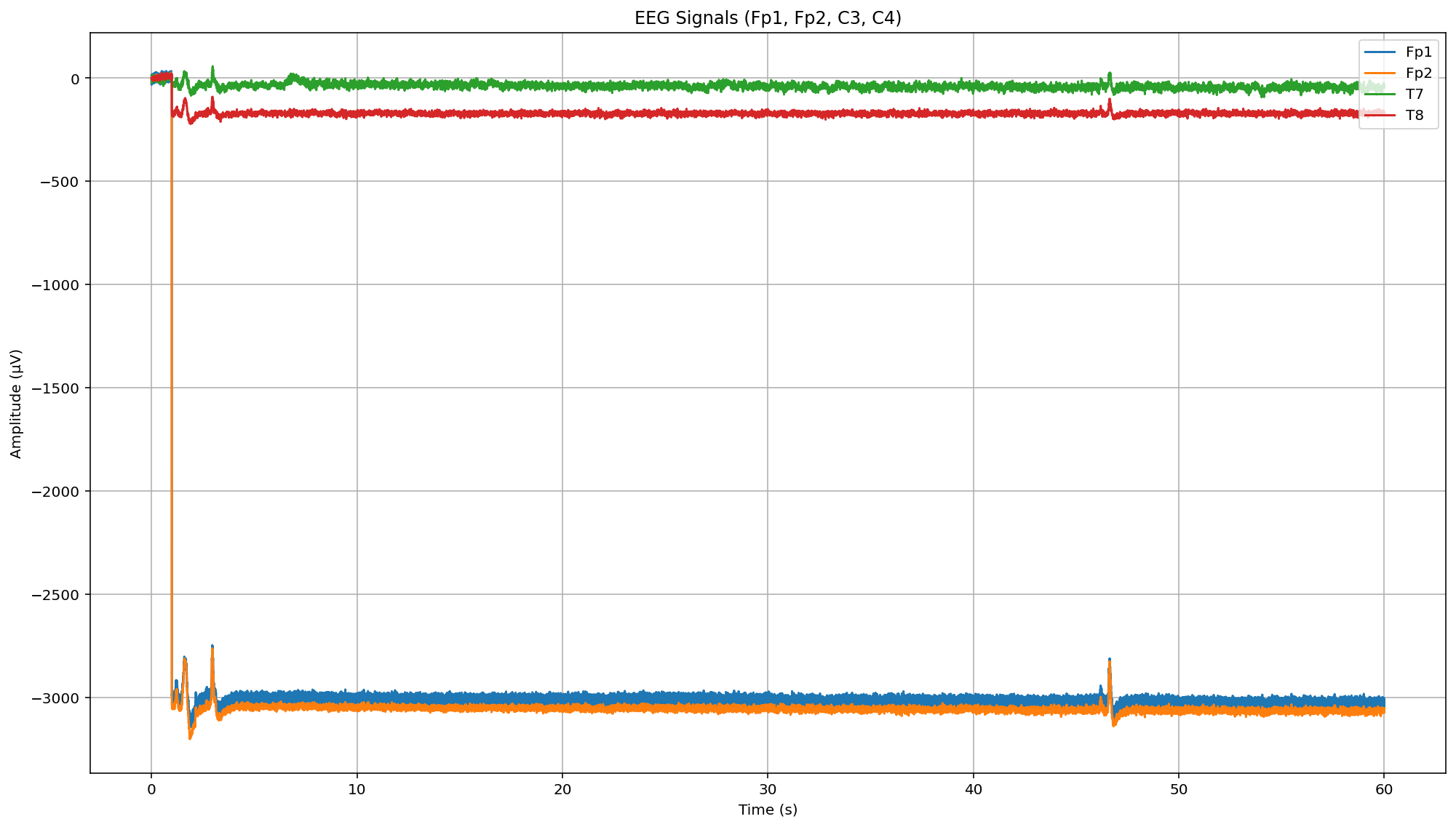
->T7 and T8 channels show values within the expected range of 10–100 µV, but Fp1 and Fp2 exhibit significantly larger variations. I don't believe this is due to the electrodes, as I tested with multiple Ag/AgCl and golden-plated electrodes and observed similar discrepancies.
I have not looked at your code. Have you just tried running one of the example Python files on the Brainflow doc site? I would do that first because it avoids any dependencies such as MNE.
https://brainflow.readthedocs.io/en/stable/Examples.html#python-real-time-plot
Where is your reference? Sometimes mixing electrode metals, can create large offsets called a 'galvanic effect'.
Thank you for this. You are right, much better results can be achieved by implementing only the brainflow capture procedure.
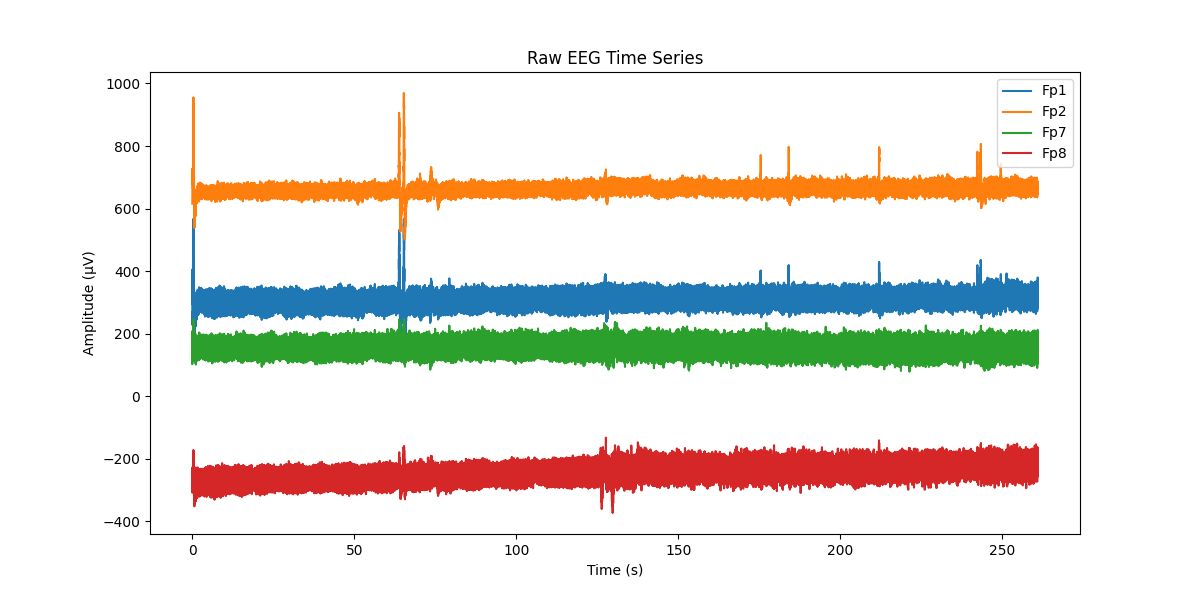
I'm glad you are seeing an improvement. But your signal levels are STILL out of line of what to expect with EEG. Normal EEG is below 100 uV. From the red trace above, I see you have a slow drift upwards. This seems to imply that your filtering still needs improvement. Block all EEG below say .5 Hz or 1 Hz. Either with a high pass or bandpass filter. Adjust the 'order' or poles of the filter to be high enough that you get a decently sharp cutoff. Say order 4 or 5 at least.