
Cyton bias, SRB - software control init settings?
 evolution_encoded
East Coast US
evolution_encoded
East Coast US
Hi, as I just got the Cyton, I am figuring out its connectivity.
Unlike the Ganglion, the Cyton does not have hardware switches for reference on the channels. From the documentation and discussions, SRB seems to be the reference (white connection in this image from the docs) https://docs.openbci.com/assets/images/eeg_cytonSetup-71bfae0c3cc7fab5a157af2c855e3daa.JPG
1: is there a difference between using pin 1 or 2 on SRB?
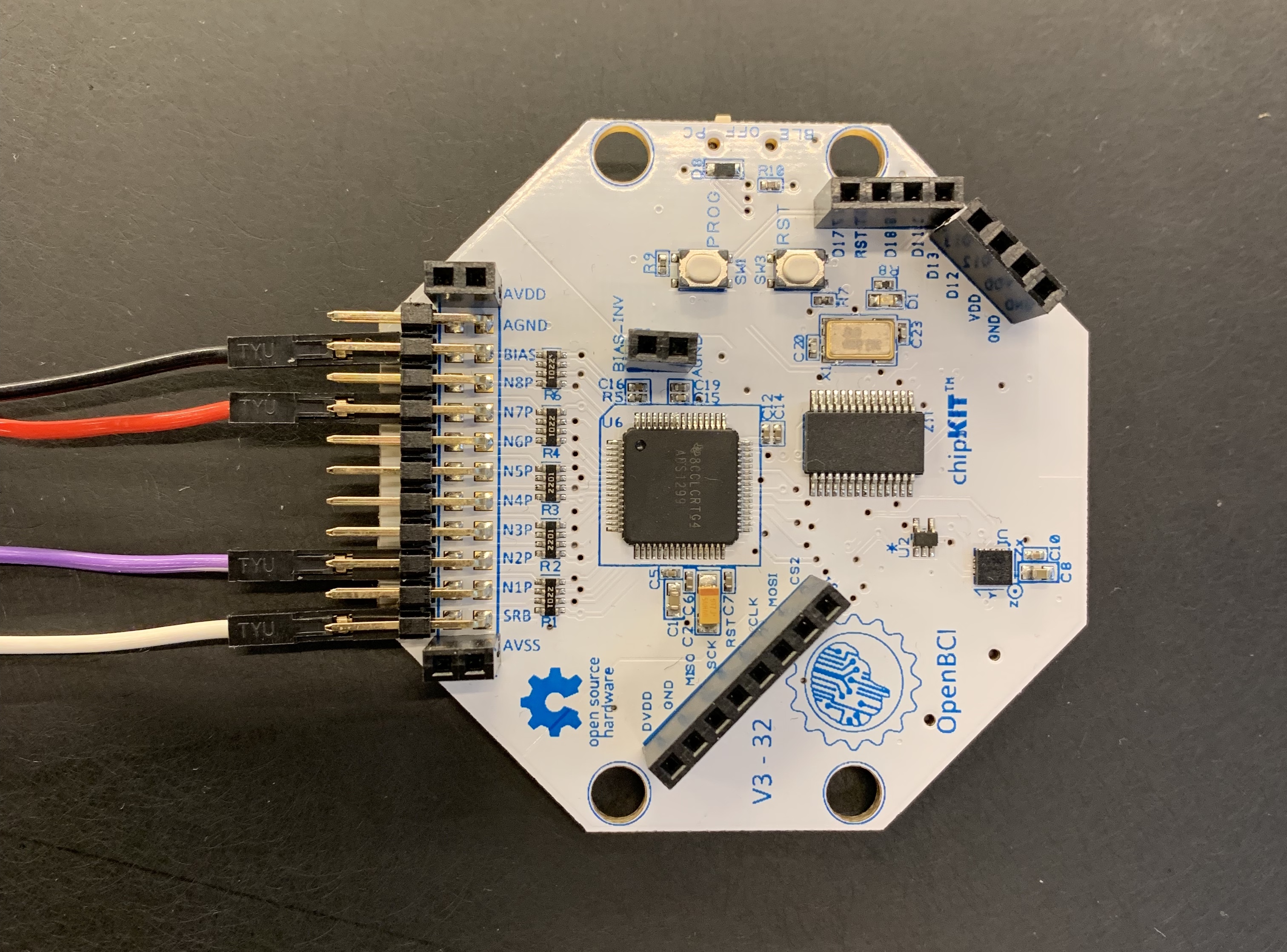
2: which is pin 1 which is pin 2 in the image above?
Also from the discussions, Bias appears to be ground. Looking at this image for the docs, it appears that I can choose to include bias/ground or not.
https://docs.openbci.com/assets/images/CytonGS_pic3_GUI-5.0.2_HardwareSettings-b1b4cc6516e60284fcb366b9231220a6.png
3: what are the use cases for NOT including bias/ground? I was under the naive impression that we always need ground, it's not optional.
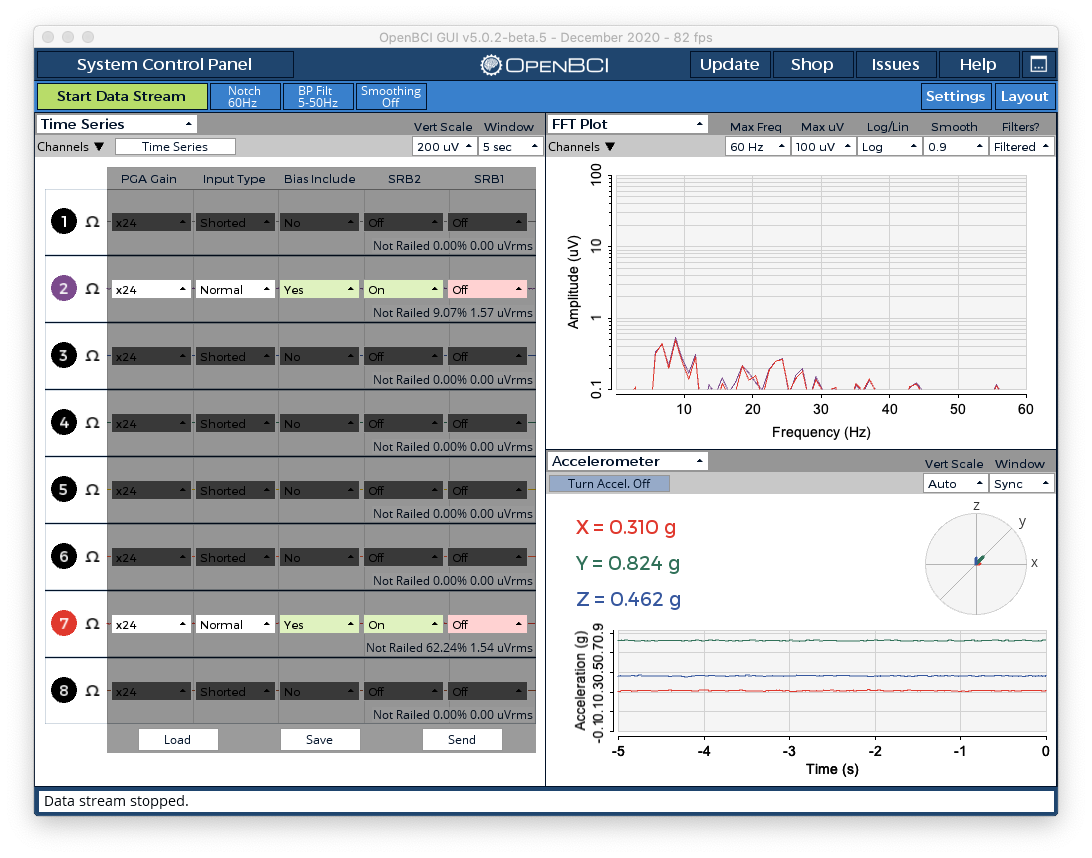
Ok, here is a prospective protocol use case, how would I specify these mixed references in OpenVibe or in BrainBay-via-BrainFlow, for instance?
N1P @ Pz w/ SRB2
N2P 1 & 2 @ T3 / T4
4: Is this specified in the init commands? If so, how would it be done?
If all else fails, it also appears that I could set up the OpenBCI GUI with the above settings, then stream via LSL to OpenVibe.
5: Is there a way for the OBCI GUI to save these settings between sessions?
Thanks
Comments
As shown in the photo, normally on Cyton only the pins closest to the board surface should be used. This is the SRB2 shown in the photo.
https://docs.openbci.com/GettingStarted/Biosensing-Setups/ExGSetup/
See previous answer. Only use pins closest to board. There are no "mixed references".
BrainBay should work fine.
https://docs.openbci.com/Software/OpenBCISoftware/GUIDocs/#decrease-setup-time-by-savingloading-settings
@wjcroft - perfect! Thank you. The pictures of the pin configuration with the ECG and EMG are helpful.
I now see why I was initially confused as to the "save settings" feature. When it saves it does not prompt or automatically add the ".json" extension. Without it, the save file just generates an error. With your help - and a bit of trial and error - I am working with the Cyton now.
[EDIT: The software does not want to remember which channels I "turn off" in the Time Series widget. And when I make changes via Time Series > Hardware Settings > Save, it deletes my save file altogether.]
By the way, my initial hopefulness to use OpenVibe waned when I realized that it does not have good support for eye closed protocols that rely on sound.