
GUI JavaSound issue, fails to start

This discussion was created from comments split from: OpenBCI GUI does not start, blank screen [resolved].
@Thilina, hi. I moved your posts and followup comments to this new thread, since they were not related to graphics driver issues.
@Thilina, hi. I moved your posts and followup comments to this new thread, since they were not related to graphics driver issues.
Comments
Hello,

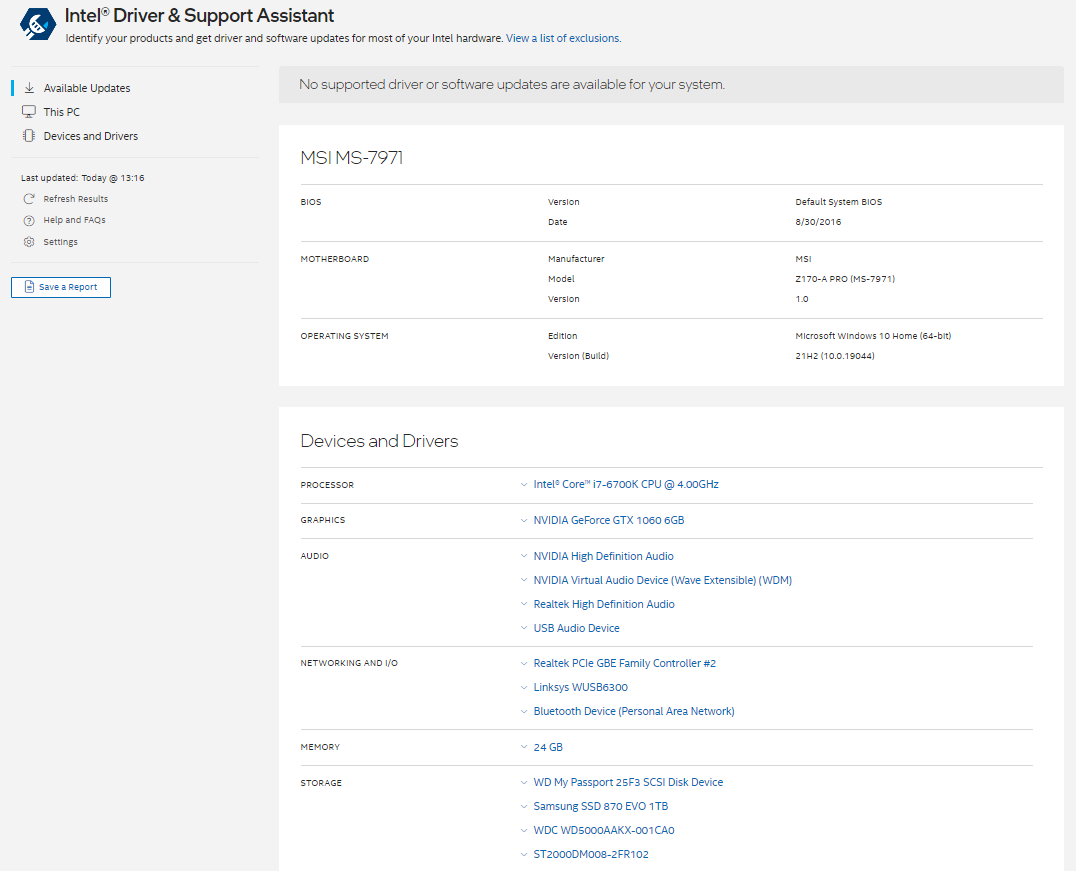


I am also having this problem. A few months ago I followed the steps suggested in this thread and others and resolved it. The past few days I have been using the GUI I had no issues. As of this morning however, the issue has come back and I had not changed anything since last night when I last ran the GUI with no issues. I have attached a screenshot of one of the console logs, all of which are identical today. I updated my drivers through Nvidia (I have a GeForce 1060) and also my Intel drivers (I have attached images of my system specs). My operating system is Windows 10 64-bit. I have also confirmed I have OpenGL version 4.6 (see attached image). I have tried both the Nvidia Game Ready Driver and Studio Driver. I have tried restarting my computer multiple times as well.
Apologies if there is a simple fix for this, but I could not find one on the forums or github that works for me, but I need a solution urgently.
@Thilina, hi.
DId you try the NVidia workaround mentioned in June 2019 by @BCoughlin ?
https://openbci.com/forum/index.php?p=/discussion/comment/11049/#Comment_11049
It seems likely that some background Windows update process installed new drivers or OS modules. Is it possible you can use OpenBCI on another computer? Other online material suggests that your MSI computer may have been manufactured in 2016. Seven years ago, which implies it may have lost support from MSI or NVidia.
But more addressing the log file errors you are showing, they seem to indicate an issue with your sound card setup. NOT the graphics card / drivers. Try reconfiguring your Windows sound control panels.
Richard @retiutut may have further suggestions.
William
Thank you for the very quick reply William!
I did try both the driver options as suggested but, this did not change anything sadly. I have gone through each of the audio/sound related menus in Device manager and confirmed that they each have the latest driver (according to Windows search for driver updates). I did notice there was something to do with sound in the logs but I have no idea what it means or how to resolve it.
I ran the GUI with no issues just last night. I'm not sure what you mean by reconfiguring in sound control panels butt I'll see what I can try.
If you have various candidate sound output devices in your Windows control panels, try starting the GUI by selecting other options you have available. Even another possibility is that you plug in a usb dongle based "sound card", and use that as your sound output. These are very inexpensive, like $10. The error log is showing that the currently selected sound output device, does not support the required WAV format output.
Thank you William,
Although my audio outputs/inputs have not changed since I last had the GUI working, I currently am using Bluetooth headphones (Sony WH-1000XM4) as output and sometimes also input (I also have Microsoft LifeCam webcam for input). I will go to the store now and try both of your suggestions for the audio card and if that doesn't work, I will try on a new laptop. I will update as soon as I have tried these options.
I bought a new laptop and I have the GUI running and will start collecting data soon.
I'm not sure what happened that suddenly prevented my desktop from running the GUI and .wav audio should work fine. I'll look into more troubleshooting when I have the time and if I find a solution I will post it here.
Thanks again for your quick responses.
@Thilina, hi. I moved your posts and followup comments to a new thread, since they were not related to graphics driver issues.
Regards, William