
Cyton format of serial data?
 samithawijesekara
Colombo, Sri Lanka
samithawijesekara
Colombo, Sri Lanka
Hi there,
01. Question
I would like to know what is the style of the Cyton data packet which is coming through the serial port. I have checked the binary data format of the Cyton board in the OpenBCI documentation. Now I need to confirm the style of the Cyton data packet coming from the serial port. Below I have attached some samples. Please tell me what is the correct style of the data packet. If the correct style is not in the below images please let me know what is the correct data packet styles coming from the serial port.
1. img_01
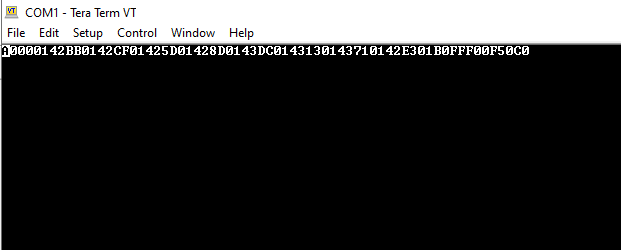
2. img_02
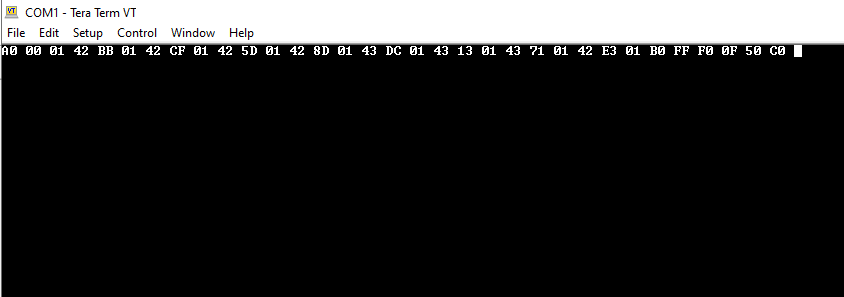
3. img_03

02. Question
What is the data type of this data? Which means Int? Byte? String?
I would really appreciate your support to clarify my questions. ????
Comments
Hi Samitha,
re: serial port packet data format
https://docs.openbci.com/Cyton/CytonDataFormat/
Are you able to follow the tutorial steps? What are your measurement goals. Was this system purchased directly from OpenBCI?
https://docs.openbci.com/GettingStarted/Boards/CytonGS/
William
If you are attempting to manually parse the packet data, that is not recommended. Instead use Brainflow:
https://brainflow.readthedocs.io/en/stable/Examples.html#python
Hi wjcroft,
Actually, I'm doing an experiment project using OpenBCI. But I don't have a CYTON device to get the real-time EEG data. So what I'm doing is learning the cyton data format from the OpenBCI docs and trying to send the dummy data packets according to the OpenBCI docs guide through the serial port and captured that dummy data which is coming from the serial port and call the BrainFlow API using python. I have also used "Python Get Data from a Board" which you mentioned above. My final goal is to get the BrainFlow API data response by using these dummy data packets. Hope you can understand my question clearly. If you can help me it would be a great support to me and I really appreciate it.
This is the current response I'm getting. I think there is a problem with the data format or data-sending method to the serial port.
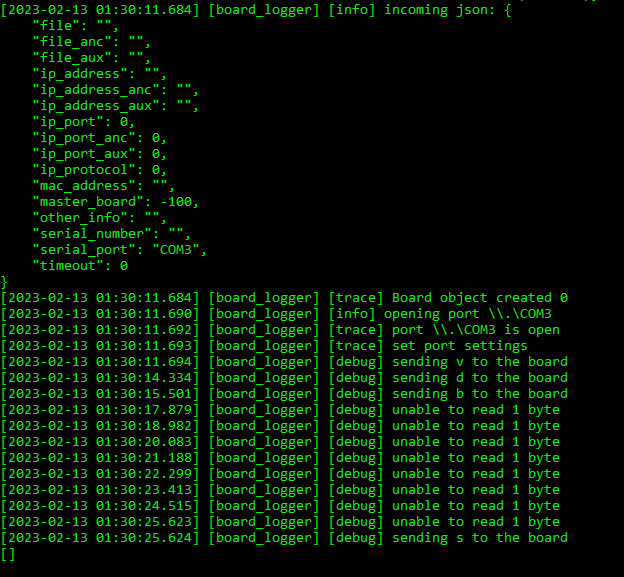
Stream also starts by sending the 'b'. That means when I got the character b from the API I starts the data stream with a 250Hz sample rate.
The developer and expert on Brainflow is Andrey. You may want to post a question on the Brainflow Slack. Sign up here:
https://brainflow.org/
Note that Andrey normally works with real devices he can test with. Since your device is 'virtual', he may not be able to help you. Have you tried looking at his library source code to see the source of the
unable to read 1 bytemessages? My guess is that you are not presenting the entire radio packet in one operation to his code.Yeah, I have contacted Andrey and he also told me there is a problem with the data I have sent to the serial port. So that's why I thought to start a discussion on here to know about the data packet style and how I need to send it to the serial port. The data format already I have to learn and set up the. There are 33 bytes in each data packet. The values are in hexadecimal. Also, I have created this according to the OpenBCI Cyton data format.
But one thing! In the OpenBCI Cyton documentation, I have found the functionality called 24-Bit Signed Data Values. How I use this function in my scenario? Do I need to pass the input parameters as each channel 3 bytes to this? And also do I get the return Integer value and replace it with each channel 3 bytes? I'm confused about it.
I thought you already read this, it explains the packet format and how the channel values are packed,
https://docs.openbci.com/Cyton/CytonDataFormat/
https://docs.openbci.com/Cyton/CytonDataFormat/#24-bit-signed-data-values
If you are PACKING 32 bit numbers, containing 2's complement integers into 3 byte values, you will need to REVERSE the algorithm shown. Which is easier than UNPACKING. You just truncate the 32 bit value and take the lower 3 bytes. These numbers are in BIG ENDIAN order, most significant byte first. Note the typos in the shift operators, which should read
<<instead of<!.Thanks. I’ll check