
Ganglion ECG data not matching tutorial data
 DashBarkHuss
Chicago
DashBarkHuss
Chicago
in Ganglion
I followed the ganglion tutorial for ECG setup.
Instead of the heartbeat data in the tutorial, I'm getting some random data that doesn't correlate to my heartbeat.
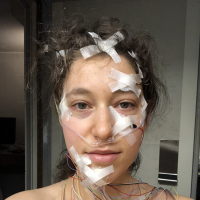
I have my ganglion setup like this:

I have the red on my left arm and the purple and blue on my right like in the tutorial.
Also when I turn the ganglion off data keeps coming in, but maybe this is unrelated:

I tried unplugging my computer thinking maybe is't electrical noise, but it didn't seem to make a difference.
What am I doing wrong?
Comments
In the video link you posted above 'random data', there are sections of the recording that look like decent ECG. Then these are interspersed with noisy sections. Most likely your electrodes, wires or connectors are intermittent. I'd suggest if you have spare cables / connectors, to try some swapping around to see if the ECG improves.
Another source of noise would be movement artifacts. Actually attaching ECG to the wrists is not going to give optimal ECG. I think the tutorial video uses that just for ease in demoing a 'simple' hookup / test. A better place for attaching the plus and minus ECG leads, is at opposite sides of the chest. As stated here:
https://docs.openbci.com/GettingStarted/Biosensing-Setups/ECGSetup/
If you look farther down that page, you can see an image showing the "5-lead placement" (which you are not using). However the numbers 1 and 2 on that diagram would be typical "opposite sides" of the chest placements. This will give you both stronger ECG, and less movement artifact. As the arms and hands are much more likely to be moving around. Your ground connection can be anywhere in the upper chest area.
William
I recorded a loom following @wjcroft's suggestions but I'm still getting random signals
I'm not sure if this is related, but it also takes my GUI 30 seconds to stop streaming data after I turn my ganglion off. So I'm confused where this data is coming from. Here's a loom showing the issue.
You may want to email customer support at contact at openbci.com.
Towards the end of your video, it sure looks like valid ECG to me. But you say the ECG peaks do not line up with your own pulse. Are you sure? Where are you measuring your pulse?
In the early portions of the video, yes that looks like mostly random noise. The signal improved a lot after you switched the cables.
Regards, William
re: stopping the stream. You should stop the stream from the GUI, not just turn off the switch on the Ganglion. The extra stream samples may be from some type of buffering going on.
From my neck. I can feel it pretty well. But I could also try doing some jumping jacks and see if the rate increases on the GUI or connecting my polar monitor to compare.
It improved before then too though, in the middle section, where I could see ECG like data but it was too slow, That was also before I switched cables.
I did some jumping jacks to raise my heart beat and feel it better and I still could not see it. Watch the loom.
Ignore the heart beat sounds, that's not my heart it's footsteps from upstairs.
Please email customer support. It's possible your Ganglion or cables or electrodes are not working as they should. As far as I can see your electrodes are connected for ECG.
In terms of the Polar chest strap monitor, see Marco Altini's HRV Logger app on this page. It has a real time display.
https://www.hrv.tools/
Customer support said they believe it's working ok. They sent new Kendall EMG electrodes to see if this resolves the issue. But I still had the same issue as seen in this loom. So I'm contacting them again.
Additionally, EOG (loom) and EMG(loom)didn't show any recognizable signal either, even though I'm able to pick both up EMG and EOG in this same room with my Backyard Brains shield.
I got it to work on my spouse's older Mac.
My Mac on has USB-c ports. His has USB-a ports, the same as the dongle.
On my Mac, I had to use a USB adapter. Could the issue be the adapter? I've had similar problems with Arduino, where if you used a cord that didn't come with Arduino, the cord wouldn't move the data.
Are there any known brands or specs for USB-c to USB-a adapters that work?
This USB adapter helped. The data looks about the same on my new mac as on my spouse's old one. I heard there are still issues with silicon chip macs even with this USB adapter, but I haven't noticed a difference yet. I heard that you could only get up to 195hz with this adapter. But that doesn't seem to affect my signal....??
There is a fix in the works for USB-C Macs. Timeline not clear at this point. The end result will be that the Macs avoid use of the BLED112 entirely. Instead use Bluetooth hardware onboard the Mac device.
https://github.com/OpenBCI/OpenBCI_GUI/issues/1080
https://github.com/brainflow-dev/brainflow/issues/568
https://github.com/brainflow-dev/brainflow/pull/574
Please use the GUI "Packet Loss Widget" to check your sample rate and any packets being lost. Should be very close to 200 Hz.
I'm not sure where the sample rate would be but it looks like no packets are lost.
You need have the widget running while the stream is in progress.
@DarkBarkHuss We are working on a fix for Macs with USB C ports such that we could all connect to Ganglion using built-in bluetooth. We will post here in the forum and likely send out an email when it is available.