
Cyton Dongle major packet loss after pin soldering

Greetings,
I am using an OpenBCI headset- UltraCortex mark IV and a Cyton processor. It was running fine on its own for the GUI, But I needed it to speak directly to another Arduino board in my possession. I soldered stacked headers to its pins, to connect the two directly. The soldering is clean, but now when opening the OpenBCI_GUI I receive overwhelming packet losses before the dongle is disconnected. I cannot be certain it's the soldering's doing, because sometimes I did receive clean data for a few minutes, but this happened after I had the soldering done. There must be something that can be done to allow clean transmission even when soldering, right? With the dongle behaving as it is, I am stuck.
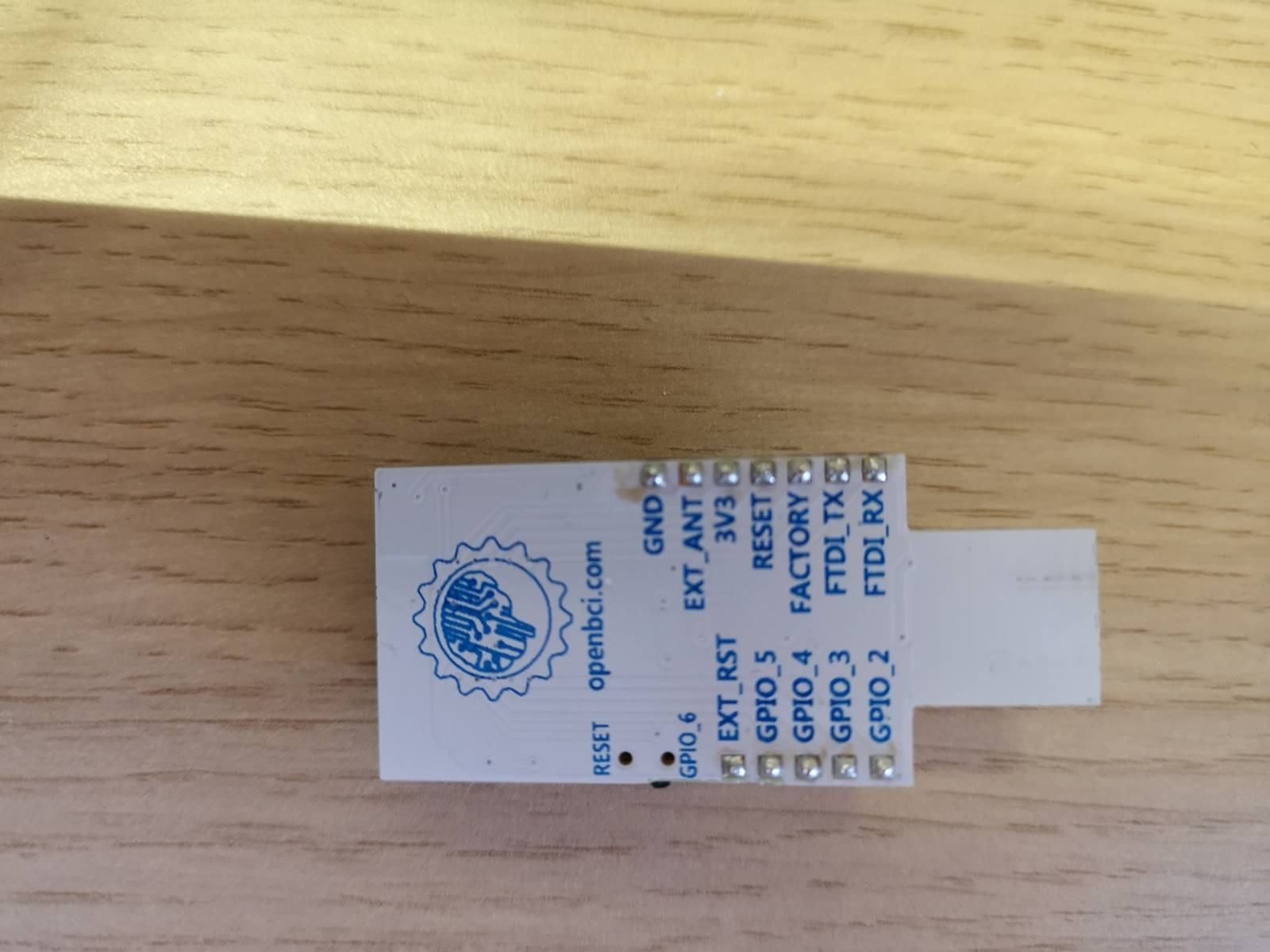
Here are the images of my dongle post soldering:

Comments
Bleicher, hi.
Have you tried emailing customer service: contact at openbci.com ?
You mentioned soldering these pins so you could connect to an Arduino. Did you actually wire up some of the dongle pins to the Arduino pins? Is it possible that the dongle failures happened NOT after the dongle pins were soldered? But instead might be the result of connecting Arduino pins to the dongle pins, causing some type of reverse current flow that glitched the dongle circuit components.
As an aside, using an Arduino to process the Cyton data, via the dongle is awkward. Both because the Arduino would be very slow at signal processing (DSP) math, and also that the base Arduino's lack a "usb host port", that the dongle is designed to plug into. A better choice for a microcontroller might be a Raspberry Pi board, which already has the required usb host ports.
If you are insistent on using Arduino, there are "usb host port" 'shields' available for some boards:
https://www.google.com/search?q=arduino+usb+host+shield
Regards, Wiliam
Thanks for getting back to me,
I didn't think about going to customer service just yet, but I will email them nonetheless, but from my experience with customer services, it could take them days or weeks, so I figured trying the forum would be faster.
I have only soldered the pins, but never wired anything to an Arduino. So far the dongle was connected to my PC from one port and my Arduino from another USB port.
Thanks for notifying me about the processing, I will look into a USB shield.
What can I do in the meantime to handle this? I tried a test stream and I either got too much packet data or the stream stopped...
If you are in an area / room that has static electricity discharges (for example, wool rugs) -- it is possible that some type of static discharge to the dongle pins or components, has resulted in component damage. Similarly if the soldering iron you used, had some type of defect that induced over-voltages to the pins, that also could have caused this damage.
The 'normal' advise when packet loss is larger than expected, is to use a "usb extension cord" to place the dongle closer (but not touching) to the Cyton. This increases the radio packet signal strength.
See this statement on suggested cautions when handling exposed circuit components, "Limitations" section:
https://docs.openbci.com/FAQ/Liability/
The Shop has replacement dongles:
https://shop.openbci.com/products/dongle
Hello,
none of these solutions had worked. In fact, the problem had worsened, as now the BCI reports no new incoming data, at all!
The dongle is connected to an extension.
gpio2 is lit.
TXD is blinking
Cyton is on
All electrodes are as deep in my scalp as I can go.
GUI reports that there is an established connection between the cyton and the dongle.
Everything seems to work and nothing works at the same time.
Also, I did report the issue to customer support a week ago and there was still no reply.
I need help.
Link to video displaying the headset's behavior:
https://drive.google.com/file/d/1FG_zA-PTcdvPdefwMJSytVCa7_njy67j/view?usp=sharing
The marginal / erratic (not steady) TXD flashing rate of the dongle (in your video), would seem to imply that a lot of packet loss / corruption is occurring. If the usb extension cord idea does nothing, then we are left with the possibility that the dongle was somehow damaged when you soldered in your pins. As I said before, if the soldering iron had a bad wiring or some such, it might have zapped the chips on dongle with mains voltages. Or a 'static' discharge of some sort might have happened.
For working on bare circuit boards, a common engineering practice is to do all such work on a "static discharge" mat, with wrist ground strap.
I'd still communicate with contact at openbci.com to ask how to proceed.