
Add OpenBCI to my Android app (Muse + Melon + Emotiv Insight)

(little german physicist here, thanks for letting me in. I may post on two or three topics in the next days, maybe i stay..)
I am developing a "does them all" Android app that already supports the Muse, Melon and Emotiv Insight: https://robosoft.de/eegcenter
I would like to add the OpenBCI. Therefore i made a port of an old example to Android Studio 4.01: https://github.com/RoboDurden/OpenBCI-AndroidApp
with updated permissions + checking and apk file of easy installation.
My "central station" is intended for neuro feedback and multiple mind commands that can not only be recorded but trained via neuro feedback ! That might be a breakthrough ..
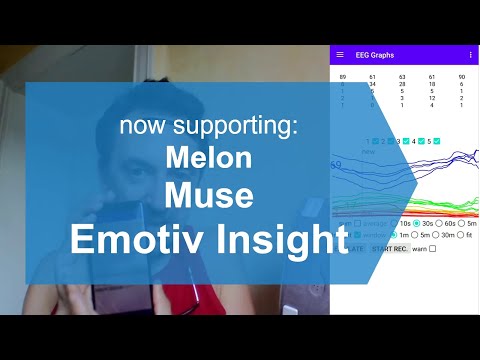
(lengthy video here:)
I have been on Kickstarter the last years so of course i took notice of you. But i did not really like your hardware and it was too expensive for me anyway (might rant on this in another post).
So it would be nice if someone would test that example code/apk and give me feedback.
For example it looks like this code will only read 6 channels of EEG raw data, see class SaveBytesToFile. So i am not sure to what hardware this app connects via the RFduino :-/
But if that code works it would only take me an hour to fully add OpenBCI to my App.
i can not upload my EegCenter to the Google Play store because i do not have 64bit .so binaries of the Muse and EmotivInsight libraries :-(
Ideas welcome,
Robo Durden :-)
Comments
Hi Robo,
Did you ask the previous creator of the repo, 'yeah-sir', if this application ever ran successfully? His code was created in 2014, very early days for OpenBCI.
The two RFduino's in OpenBCI Cyton, one on the mainboard, and the other on the usb laptop dongle, DO NOT speak normal Bluetooth 4.x protocols (BLE). Instead there is a custom library firmware (from RFDigital), that allows single channel operation at higher data rates. (Normal BLE channel hops frequently.) This was necessary to get the full speed of 8 channels (+ 3 Aux channels), at 250 Hz. Most Cyton owners would be unwilling to replace the mainboard RFduino firmware with normal BLE because:
However, if you use an OTG cable with the usb dongle, that then would appear to be a serial port on the Android, and could achieve the full data at 250 Hz.
Regards, William
Thank you William for your answer :-)
Yes i too fear that this sample code from yeah-sir will not work.
I already read about that special protocol you implemented :-(
Don't really understand your bandwidth problem. With the Muse i receive 4+2 = 6 channels at 500 Hz. Maybe not at 24 bit but you could have downsampled the 24 bit 250 Hz zo 16 bit 125 Hz without much loss - for those who want wireless communication.
I will see how difficult it will be for me to code such a serial port. Is there some code to somehow simulate your dongle data stream with an Arduino Micro ( https://www.instructables.com/id/Arduino-Micro-USB-OTG/ ) ?
But more importantly, will there be interest/eagerness in your community to make use of such a portable Android solution ?
Your headsets are not really suited for consumer applications after all.
I would like to add the ADS1299 because i am no longer that confident that the Muse or Emotiv can provide any brain state identification at all. Am not sure about the ADS 1299 too but that would be the next step to verify.
roland, aka Robo Durden.
However, OpenBCI Ganglion DOES use normal BLE. It is a 4 channel device, not 8 + 3 channels. So should be possible to use the Brainflow libraries to connect:
https://brainflow.readthedocs.io/en/stable/
The developer of Brainflow, Andrey Parfenov, has a Slack as well:
https://brainflow.ai/2020-03-23-slack/
And a recent discussion thread had some tips on Android connection:
https://brainflow.ai/2020-07-14-new-minor-version/
William
Please investigate the Ganglion route. But Cyton would work using the OTG. The Cyton serial protocol is also available with Brainflow.
Yes thank you for the Ganglion links.
BrainFlow 3.2.0 ... "Now OpenBCI WIFI shield can be autodiscovered, even if it’s connected to a local network. You don’t have to provide IP address"
Could i add the 8/16 channel boards via wifi ? The 4 channel ganglion might not be any improvement over the Emotiv Insight. And as i said, my personal interest is to add higher scientific BCI to my neuro-feedback / mind-commands approach.
Yes, Brainflow supports the Wifi Shield for both Cyton and Ganglion. However many more OpenBCI owners just use the normal non-wifi method to connect. So limiting your support to only wifi, will limit the number of users to those who own the shield.
Ah good to know. So nearly 100% of your community do have a usb dongle and could go that route. But less than 70% have a wifi shield.
I don't have the exact numbers, but most Cyton users are using the dongle. Perhaps 20% of Cyton owners have a wifi shield. And similar for Ganglion.
Hmm, maybe I misspoke about Ganglion support for Android BLE connection. Ganglion owners are using it with their laptop and a special BLED112 dongle that presents the data on a serial port. So the Brainflow Ganglion default operation assumes the presence of this BLED112 dongle, NOT using the built in OS BLE libraries.
There are some previous forum posts discussing direct BLE Android connections. I believe these predate Brainflow library availability.
https://www.google.com/search?q=openbci+ganglion+android
i get a silly poup:
in your request to this site
Your access to this service has been limited. (HTTP response code 403)
If you think you have been blocked in error, contact the owner of this site for assistance.
Block Technical Data
Block Reason: A potentially unsafe operation has been detected in your request to this site
Ok, even so i do not like the USB OTG workaround - if you help i will give it a try.
I was able to compile this example without any changes: https://github.com/mik3y/usb-serial-for-android
And now i need someone to install the apk and tell me if your dongle is sending data
https://robosoft.de/eegcenter/usbSerialExamples-release.apk
Android 10.0 did not allow me to install it, even so i disabled the Google Play Protect.
My old Android 7.1 phone installed it. Don't know what is wrong with Android 10 :-(
Maybe you need so send some init string to make your dongle start delivering data ?
When this first step succeeds i will provide a version 2 that saves the data stream to a file i can upload to my server. Maybe i can upload the data stream directly so no file read/write permissions will be neccessary.
With that sample data stream i can code a java class BciOpen which extends my class Bci.
I then will publish boths classes as open source to my Github. Then everyone can easily interface your devices.
the Roland, ideas welcome.
I tested that app with an Arduino Nano sending and receiving serial data at 115200 baud. The Nano also has a FTDI chip as you have on your dongle.
Did you see the previous link I left, regarding Brainflow talking to Android?
https://brainflow.ai/2020-07-14-new-minor-version/
Yes but their example app crashes: https://github.com/brainflow-dev/BrainFlowAndroidTest/issues/1
And that example only seems to support the wifi shield:
From what i see the wifi shield could easily be a USD $2.69 D1 Mini: https://www.aliexpress.com/item/32701885235.html
Only the Reset, Chip Select and SPI pins would need to be connected and the firmware
https://github.com/OpenBCI/OpenBCI_WIFI/blob/master/examples/DefaultWifiShield/DefaultWifiShield.ino
flashed, correct ?
I guess everyone would prefer that to having an USB OTG cable hanging to the smartphone.
I only fear that you want to sell your wifi shield for USD $79 :-(
Okay, very quickly added the BrainFlow api to my app: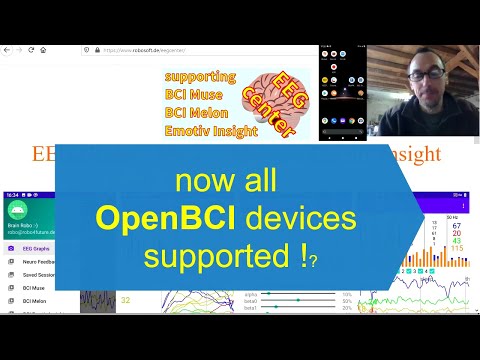
increased the apk from 7.3 MB to 15.4 MB :-/
Would really be nice if someone with a wifi shield would download the apk and give it a try:
download my app here: https://www.robosoft.de/eegcenter
peace ..
P.S. When only interfacing the BCI BrainFlow and not going to the SavedSessions drawer, no permissions have to be granted to my android app :-)
Andrey Parfenov @Andrey1994, Brainflow inventor, might be interested in commenting on your app.
I do believe, if you're are interested mainly in Cyton, that both the Wifi connection, and an Android OTG serial port connection would be possible. But I understand that the wifi may be easiest for you.
William