
DIY Cyton: "exec: '/bin/pic32-g++': file does not exist" [resolved]
 Dreambuild
China
Dreambuild
China
Hello there, guys. I was recently trying to prepare to program my diy Cyton board, but I have met problems in compiling. Here's a screen shot.
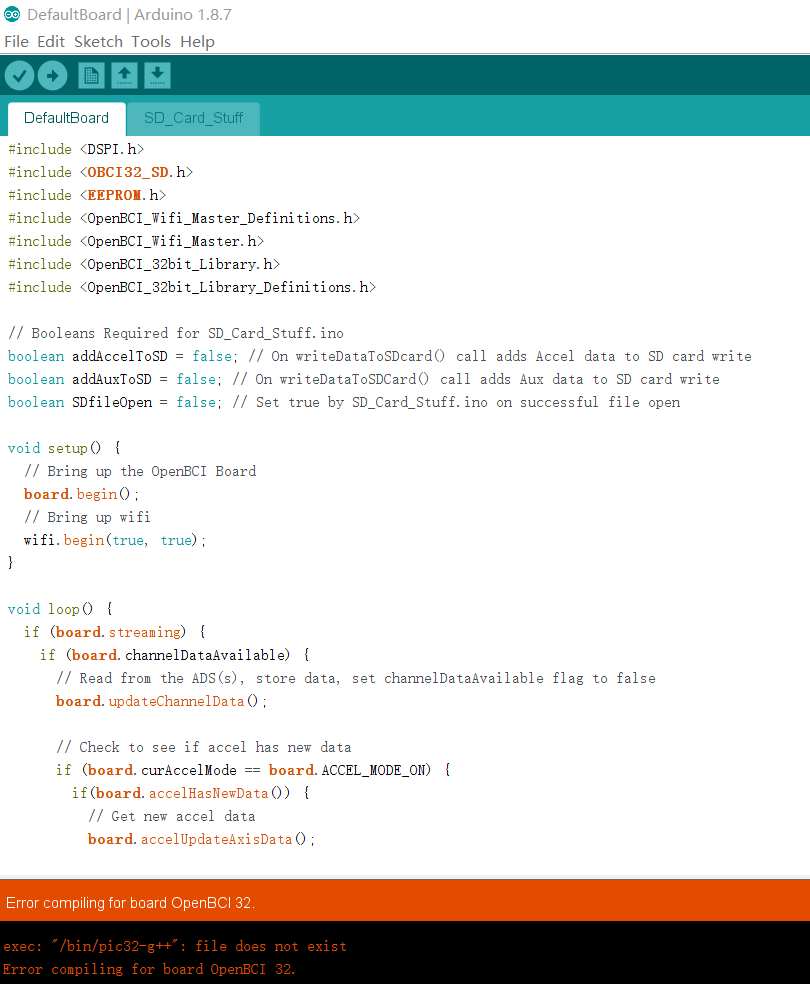
//Arduino: 1.8.7 (Windows 10), Board: "OpenBCI 32"
exec: "/bin/pic32-g++": file does not exist
Error compiling for board OpenBCI 32.
This report would have more information with
"Show verbose output during compilation"
option enabled in File -> Preferences.//
Here's what it said.
Chipkit core and other files have been installed. pic32-g++ also do exists in bin file, but the system still can not find it.

Can anyone help me on this one?
Comments
Guys, I just found the solution to it, which 's pretty simple. It could be helpful if someone met the same problem.
I open the platform.txt and got into here
Default "compiler.path" is correct, change only if you want to override the initial value
This line must be set right ({runtime.tools.pic32-tools.path}/bin/) for the ZIP file builds. It gets replaced
by build.xml regex to {runtime.tools.pic32-tools.path}/bin/ for the URL (github-release) build
compiler.path={runtime.tools.pic32-tools.path}/bin/
Now change the compiler.path={runtime.tools.pic32-tools.path}/bin/
to the actual location. Mine for example:
compiler.path=D:/System/Arduino/hardware/chipkit-core/pic32/compiler/pic32-tools/bin/
Remember to use / instead of \ to show the path.
Hi, Dreambuild
I followed the steps you mentioned: open the platform.txt and change the compiler.path={runtime.tools.pic32-tools.path}/bin/
to the actual location. Mine :E:/ApplicationSoftware/Arduino/Arduino1.8.0/Arduino/hardware/chipkit-core/pic32/compiler/pic32-tools/bin/
now, it can compile successfully, but it cannot upload DefaultBoard.ino successfully, some errors occured like this:
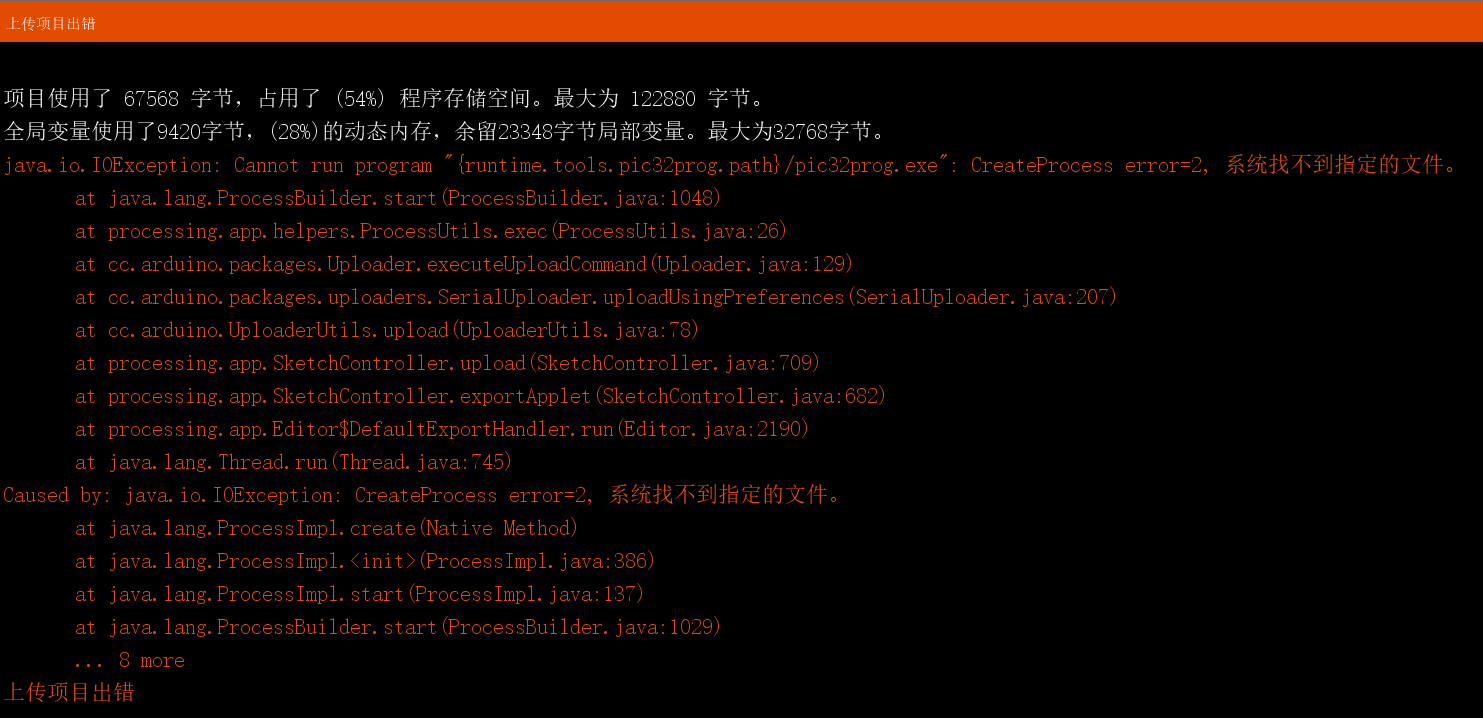
could you please give me some suggestions?
Best Regards
@Dreambuild Look forward to your reply! Thanks in advance.