
FP1 and FP2 always RAILED

Hey Guys,
I keep having the problem that my FP1 and FP2 channels are railed in the GUI, eventhough I connected everything as described in the documents. When I toggle them, they are derailed for 10 seconds and then go back to being railed.
I would appreciate any help!
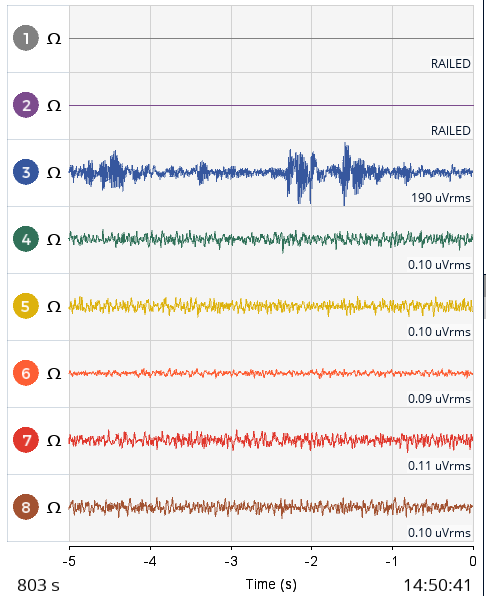
Best,
Deniz
Comments
Deniz,
Please share a screenshot of TimeSeries with Impedance Check active on Channels 1 and 2.
All the best,
RW
Hey!
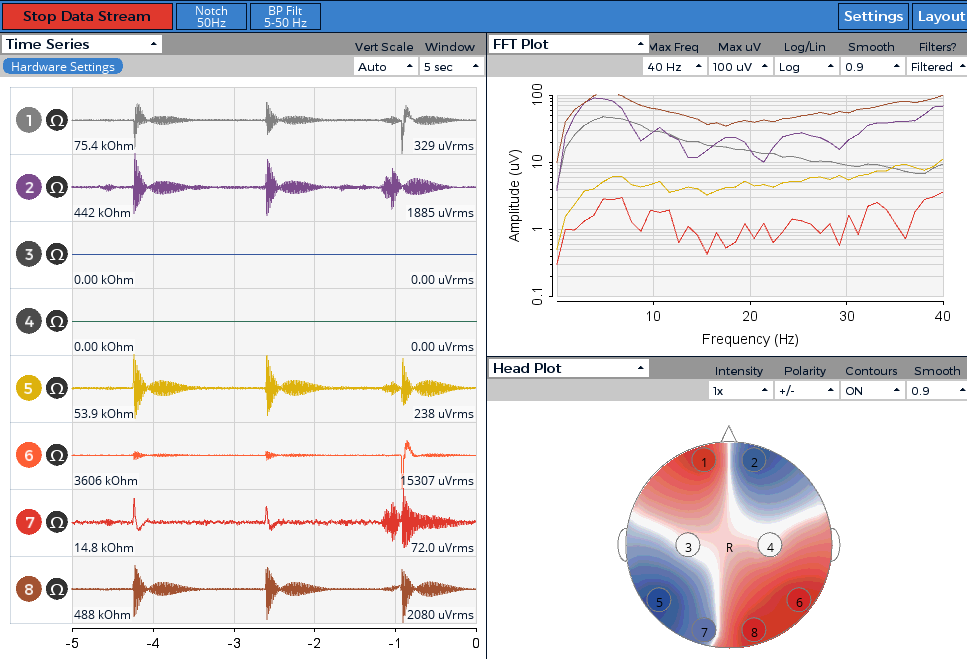
After resarting the GUI and turning the Cyton on again, I have now kind of different signals on all channels compared to normal...
And no signal on C3 and C4.
How are you powering the unit?
with the battery pack that came with the cyton. Do you think that could be a problem? Maybe as a sidenote, even when I used the batteries for the first time, FP1 and FP2 were railed...
I have seen this with power problems when one battery pack is used for both cyton and wifi card, or when battery was low.
hm... neither of both is the case.. do you think my cyton board could be malfunctioning? maybe I should contact OpenBCI, because I just received the board about a week ago
I would check the connections (detach and reattach wires and bluetooth, , take batteries out and check polarities) and if you still have issues check tech support with OpenBCI.
I'm part of the support team, and I think more info is required before a replacement would be issued. No worries!
@Deniz_Oe Try Bill's suggestions and post another screenshot, and provide any details relating to what you tried.
Hey @retiutut ! So I have now followed the advice, I checked the polarity:
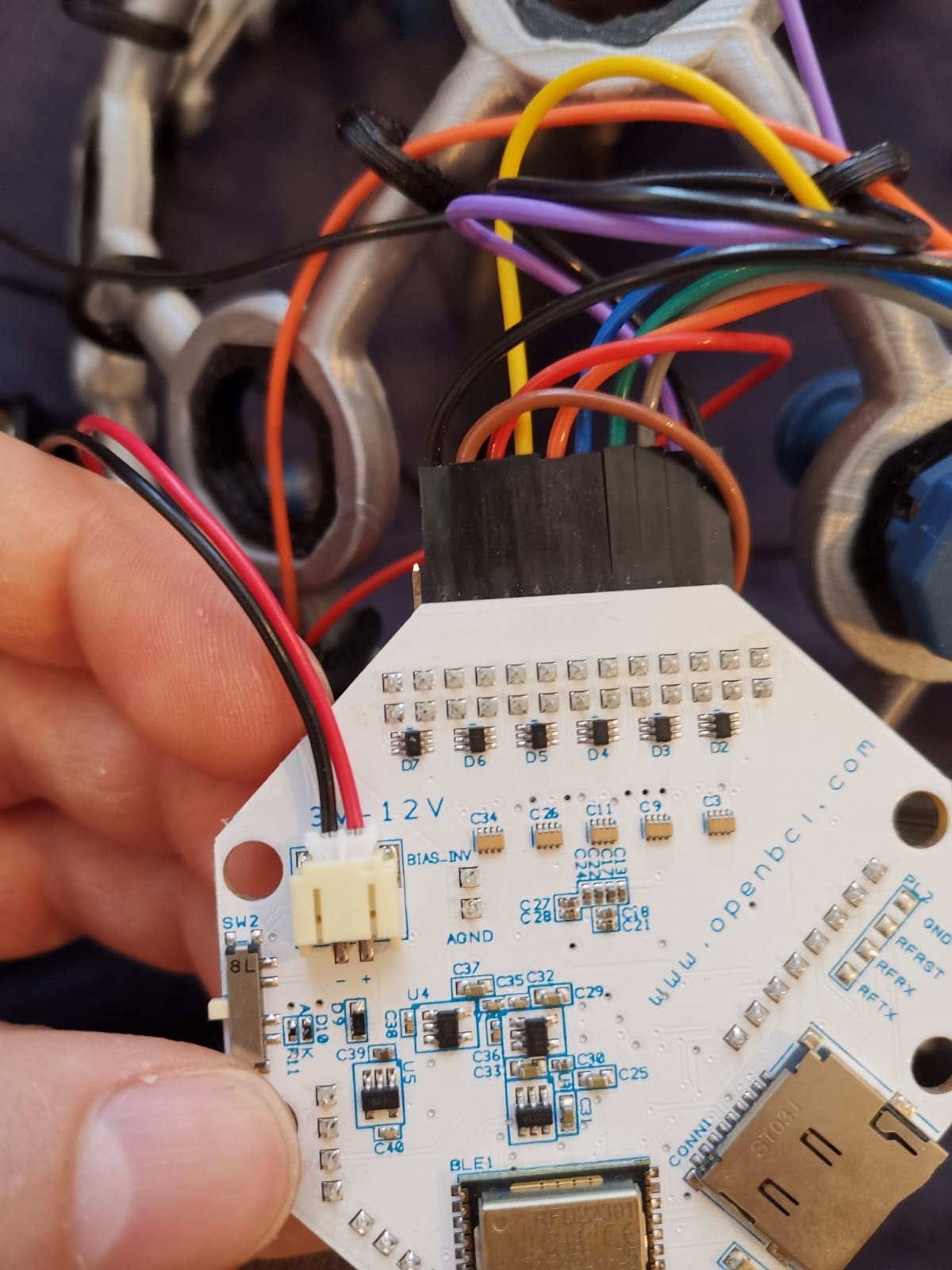
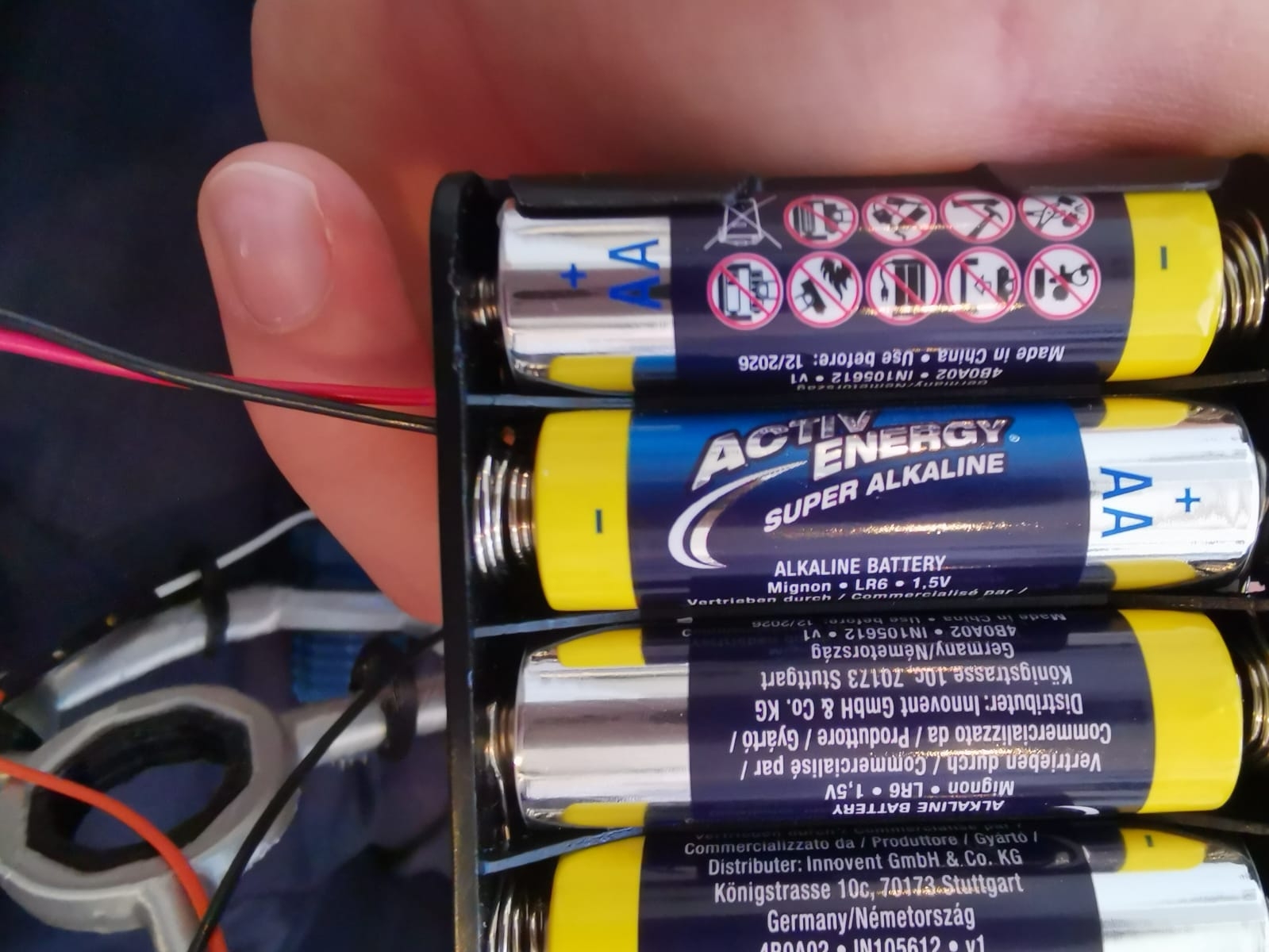

And I detached and rewired the cables again:
I now see 2 channels railing and one with no signal and 0 ohm impedance:
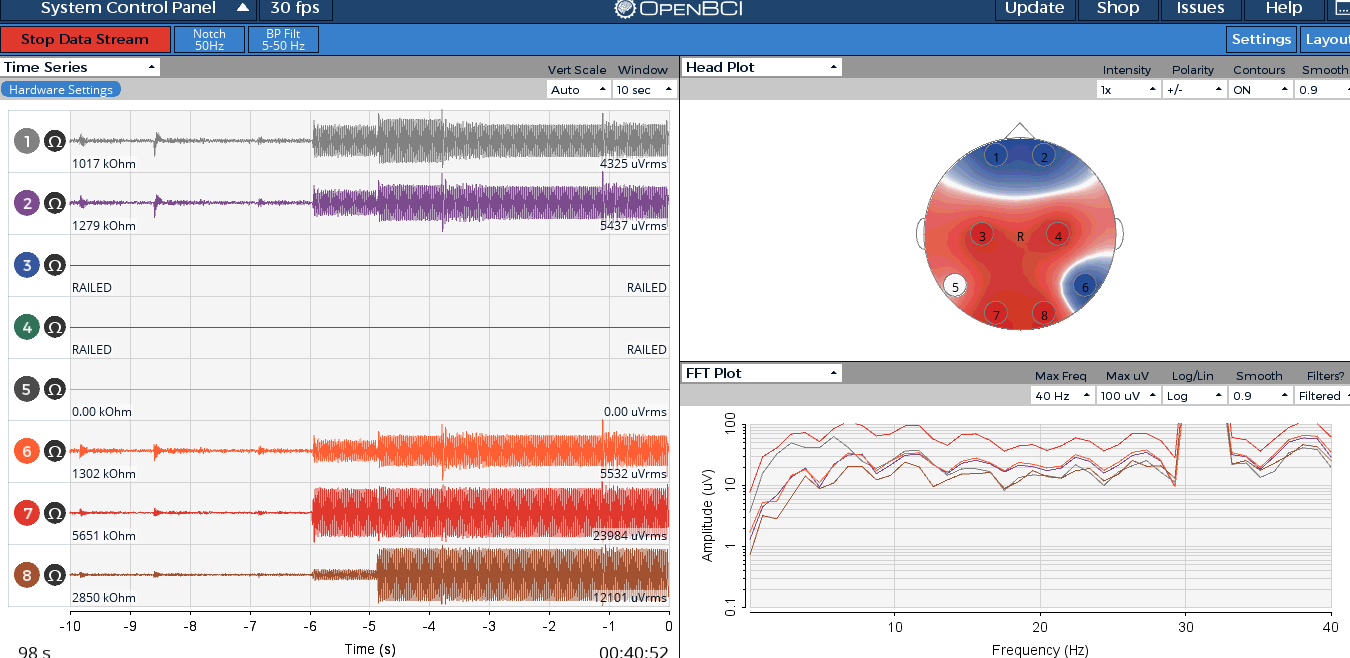
I have ordered the following lithium ion battery:
https://amazon.de/gp/product/B00IFXKJHS/ref=ppx_yo_dt_b_asin_title_o00_s01?ie=UTF8&psc=1
is there anything else I should try to do?
Best,
Deniz
Thanks for the detailed pictures and info!
@Deniz_Oe Is the screenshot of the GUI with the leads connected using Mark IV? You did your best to make sure the electrodes touch the scalp? Just need clarification.
Can you also share another screenshot of the GUI with leads connected to a user, and no impedance check this time, just normal time series data?
thanks for the quick reply @retiutut !
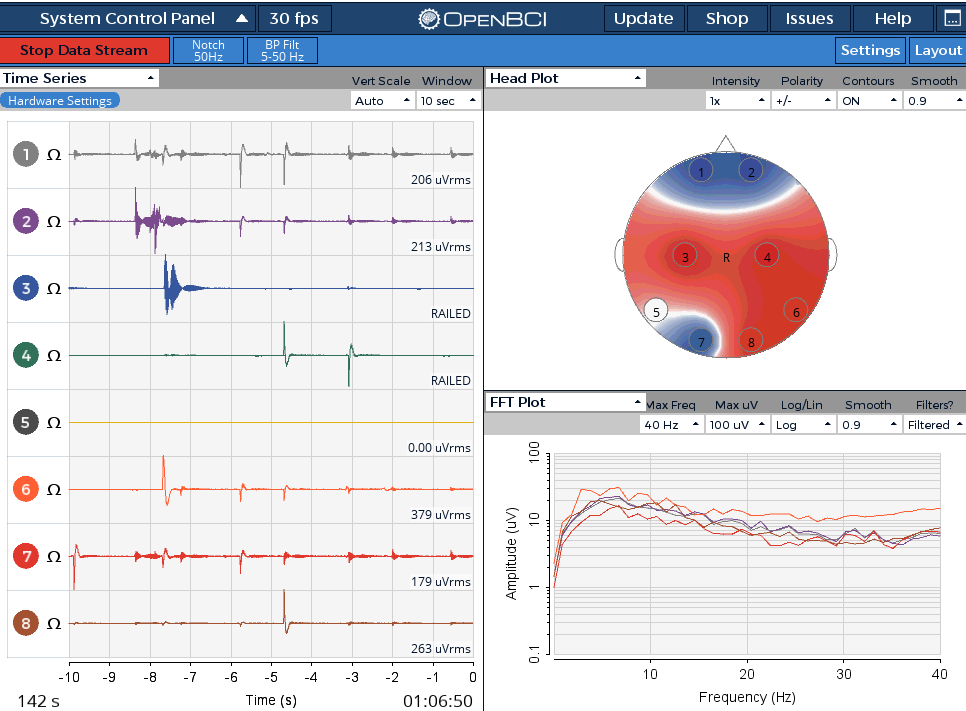
So yes I am using it with a Mark IV, 8 channel set. I did try my best so that the electrodes touch my scalp, however I have thick hair. So that's why I now tried the headset on my brother with short hair and the normal time series you asked for still looks like this:
maybe a side note, I also have bought the Dry EEG Comb Electrodes but have no idea how to use them with the electrodes from the ultracortex.
I also use these, and they help a lot especially around the top of the Mark IV. You take a small (electronics) screwdriver and carefully swap out the spikey electrodes. To be frugal and save some for later (as they all eventually lose the coating), I only swapped out the electrodes around the thick parts of my hair. I left the typical spikey and flat electrodes that are around all sides of the MarkIV. It's fully customizable!
As for the screenshot, those spikes really worry me. Can you confirm these are fresh batteries?
I also notice this is with Cyton and Dongle. Your dongle seems to be working fine. Thanks for those photos!
Okay I will try to swap them! thanks for explaining how to use them :-)
Yes, me too, I'm just learning about EEG scans, but that doesn't look like normal signals.
I bought the batteries new and also exchanged them with another set of 4 fresh batteries. As mentioned, I will try to use a lithium ion battery similar to the one on sparkfun as soon as it arrives (Amazon takes a little longer in these busy days...)
Yes indeed it is a Cyton-Dongle connection, I had some connection problems in the beginning but since two days it actually works pretty fine to connect and get the session started.
What do you think could be the problem here?
Those spikes look like "low battery" spikes to me. Also, channels 1 and 2 aren't railed.
Hopefully, no one around the device is actively using a cell phone ~1-2meters or operating radio equipment.
I guess wait and try the LiPo battery, which happens to weigh less, and is more appropriate for headwear. Let's see if a different power source makes a difference. If it doesn't, I'd still like to see the screenshot, as this thread documents the history of how this Cyton behaves from session to session.
If we need to replace this Cyton, I can communicate this directly and hopefully expedite the process.
okay, I will definitely keep posting screenshots in this thread as soon as I get the new power supply!
I hope everything will work out in the end, but yeah otherwise I would be really grateful for help with the replacement!
best,
Deniz
@retiutut I have now got the LiPo, but the signal still doesn't look right, I have railed channels and the others are kind of weird...
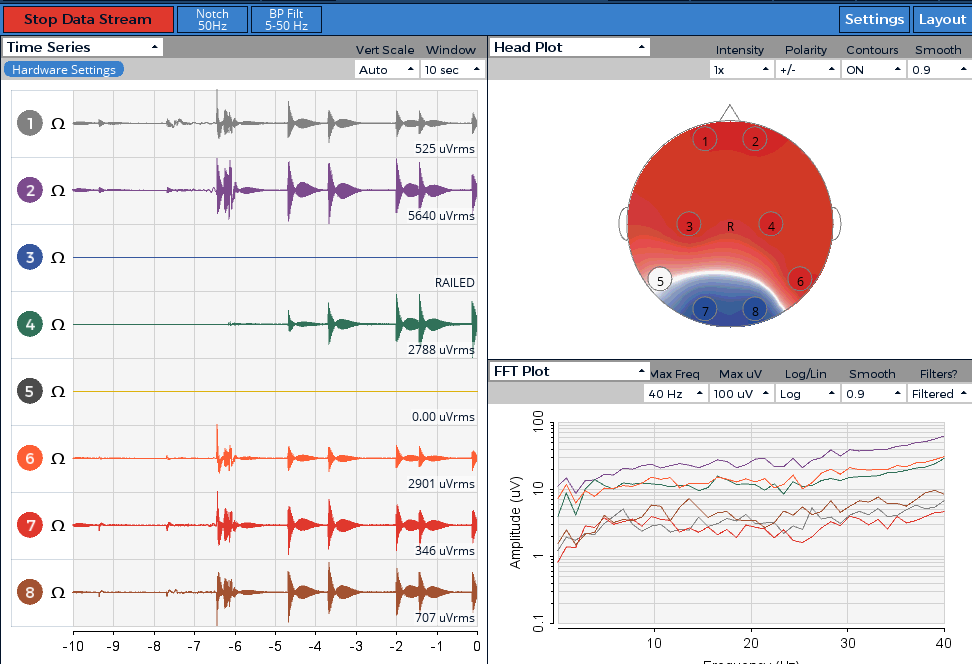
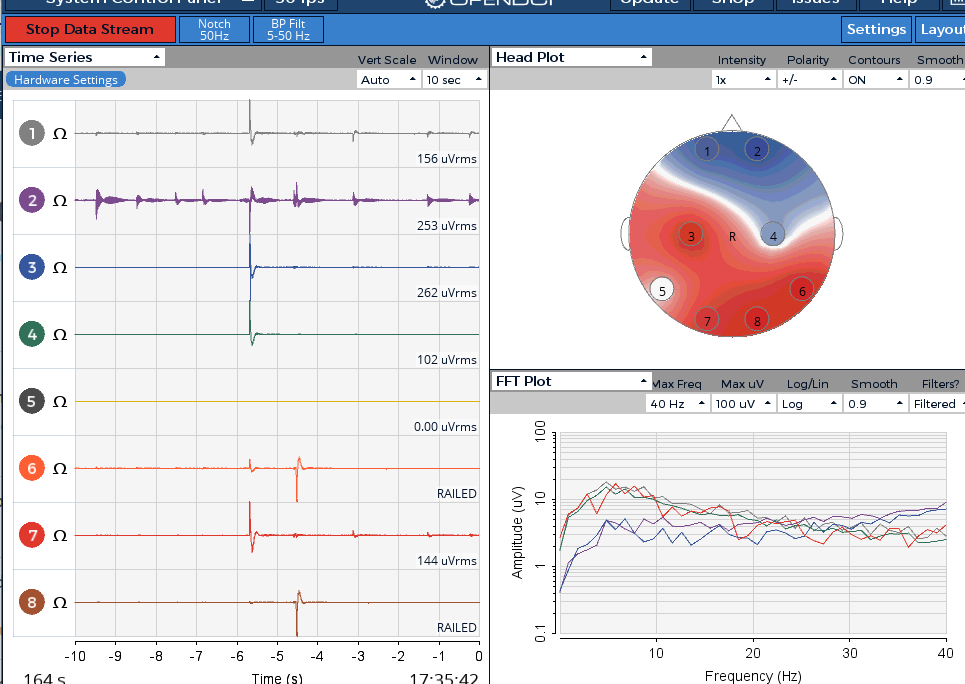
here two screenshots from the same sitting:
I think now is the time to suspect there is some hardware error, what do you think?
@Deniz_Oe I have contacted our support team lead, and we can start the process of replacing this Cyton.
Feel free to email contact @ openbci.com, or they may reach out to you first.
I hope this resolves this issue, and that you can start streaming data with no issues!
@retiutut thank you so much! they reached out to me already!
As soon as I get the new board I will post some screenshots, hopefully with the correct signals this time ?
P. S. can we be sure that the dongle is doing okay? if not, is there an easy test for me to see if it gets the right signals?
@Deniz_Oe It's simpler to ask to replace both Cyton and Dongle. I think it's more likely that this is an issue with one of the components on the Cyton board.