Can you mention when you purchased your Cyton? The version (v3-32) shown on the board printing just refers to the hardware level, not the firmware. So you can upgrade with the document here,
What is your intended use? Some apps and programming interfaces will still work with the old firmware. Such as OpenViBE, BrainBay, Python libraries, etc. But it only takes a short while to do a firmware upgrade.
I wasn't using my openbci for a while. I figured there were a few issues . one was the firmware upgrade. which I just did. and the second one is that the ADSP was not delivering... it is still not delivering data consistently.
Can you clarify? Does your upgraded firmware connect to the latest GUI? What is your abbreviation, 'ADSP', DSP is digital signal processing. What is "not delivering"?
Sure, Yes, I upgraded the firmware for the cyton board. Now I was able to see something on the GUI . Only thing was that it suddenly stopped showing anything on the screen. That is what I meant by "not delivering" to the PIC controller.
So when streaming data from the Cyton to the latest GUI, the view in the live Time Series is intermittent, not steady? Or you say "it suddenly stopped showing anything on the screen." Is this still happening? Did you try power cycling everything, computer, Cyton, unplug / plug dongle, etc.
I assume you upgraded BOTH the Cyton PIC, AND the RFduinos, all three chips need new firmware.
I have been successful at updating the PIC. but the radios, it is quite confusing
I have tried following this document (https://docs.openbci.com/docs/02Cyton/CytonRadios) but I have not been successful yet to upgrade the radios. It will not be easy for me to get a .1 micro F capacitor immediately.
Yes.
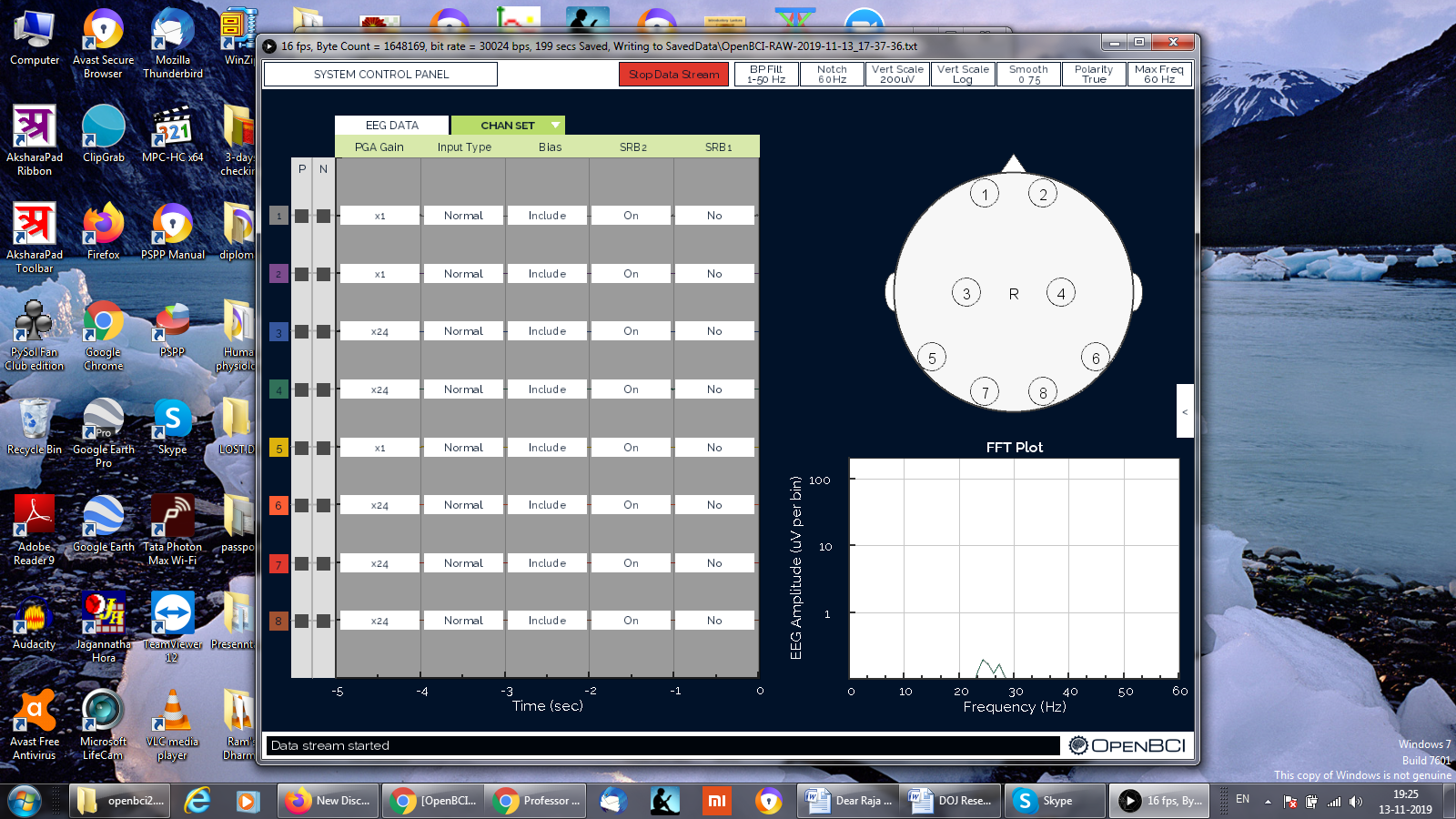
I have successfully uploaded the new firmware to the PIC and the new version of openbci gui is now functioning . Here is the screenshot.
But, as you can see on the screen shot. there is no data coming from it.
Viyyer, hi. Until you upgrade the radios, your Cyton will be dysfunctional. Likely will not talk to ANY GUI. This is to be expected since the radios are operating with buggy V1 firmware, and the V3 PIC firmware assumes it has the new radio firmwares available.
The capacitor is required to do the radio upgrade. It is what 'resets' the mainboard radio to go into bootloader mode. Do not attempt without the cap and breadboard wiring shown.
Really, I am so thankful for this extensive support.
BTW.. it quite interesting to see the 7 follows 5 and not 6 , maybe 6 is not a very lucky number for BCI people (just kidding :-) ) .
I have tried the instructions on the guide.
One thing is quite strange.. The GPIO light on the bluetooth is not lighting up around the time I updated the firmware.


Comments
Cyton version is v3-32 . I am using the 2.0 version openbci GUI. from version 3.0 onwards. I was unable to get the board connect with GUI.
Here is the screenshot. That one did not show the data. Though there is not much shown in the screen.
We do not offer support for older GUIs. Please use GUI 4.1.6 or later (4.1.7-beta.0).
It's possible that you may need to update your Cyton board firmware to make it work with the latest GUI.
Viyyer, hi.
Can you mention when you purchased your Cyton? The version (v3-32) shown on the board printing just refers to the hardware level, not the firmware. So you can upgrade with the document here,
https://docs.openbci.com/docs/02Cyton/CytonProgram
What is your intended use? Some apps and programming interfaces will still work with the old firmware. Such as OpenViBE, BrainBay, Python libraries, etc. But it only takes a short while to do a firmware upgrade.
William
I wasn't using my openbci for a while. I figured there were a few issues . one was the firmware upgrade. which I just did. and the second one is that the ADSP was not delivering... it is still not delivering data consistently.
Can you clarify? Does your upgraded firmware connect to the latest GUI? What is your abbreviation, 'ADSP', DSP is digital signal processing. What is "not delivering"?
Sure, Yes, I upgraded the firmware for the cyton board. Now I was able to see something on the GUI . Only thing was that it suddenly stopped showing anything on the screen. That is what I meant by "not delivering" to the PIC controller.
So when streaming data from the Cyton to the latest GUI, the view in the live Time Series is intermittent, not steady? Or you say "it suddenly stopped showing anything on the screen." Is this still happening? Did you try power cycling everything, computer, Cyton, unplug / plug dongle, etc.
I assume you upgraded BOTH the Cyton PIC, AND the RFduinos, all three chips need new firmware.
Brand new GUI:
https://github.com/OpenBCI/OpenBCI_GUI/releases/tag/v4.1.7-beta.2
I have been successful at updating the PIC. but the radios, it is quite confusing
I have tried following this document (https://docs.openbci.com/docs/02Cyton/CytonRadios) but I have not been successful yet to upgrade the radios. It will not be easy for me to get a .1 micro F capacitor immediately.
Yes.
I have successfully uploaded the new firmware to the PIC and the new version of openbci gui is now functioning . Here is the screenshot.
But, as you can see on the screen shot. there is no data coming from it.
That is definitely not the new GUI that I just shared a link for.
Viyyer, hi. Until you upgrade the radios, your Cyton will be dysfunctional. Likely will not talk to ANY GUI. This is to be expected since the radios are operating with buggy V1 firmware, and the V3 PIC firmware assumes it has the new radio firmwares available.
https://github.com/OpenBCI/OpenBCI_Cyton_Library/blob/master/UPGRADE_GUIDE.md
The capacitor is required to do the radio upgrade. It is what 'resets' the mainboard radio to go into bootloader mode. Do not attempt without the cap and breadboard wiring shown.
sorry here is the screenshot of the new version of openbci gui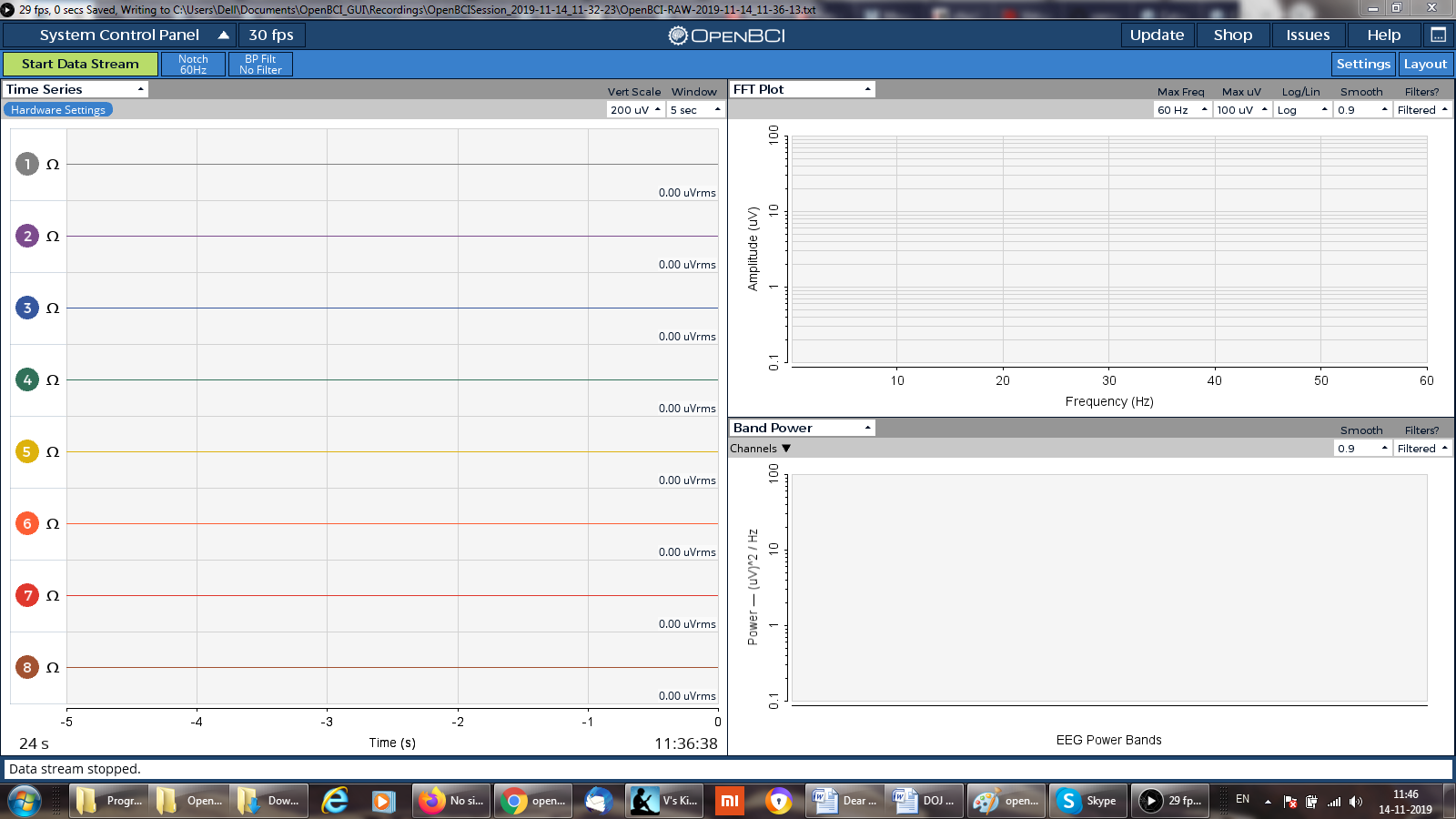
let me get the capacitor and breadboard for doing firmware upgrade.
I am just uploading the new firmware.
Update: successfully programmed the device and the host .
But since then, the Bluetooth doesn't connect at all.
Have you tried the Autoscan? It gets both device and host on the same channel.
https://docs.openbci.com/docs/01GettingStarted/01-Boards/CytonGS#5-optional-settings
Expand section 5.
@wjcroft Thank you for continued support for users upgrading firmware.
Really, I am so thankful for this extensive support.
BTW.. it quite interesting to see the 7 follows 5 and not 6 , maybe 6 is not a very lucky number for BCI people (just kidding :-) ) .
I have tried the instructions on the guide.
One thing is quite strange.. The GPIO light on the bluetooth is not lighting up around the time I updated the firmware.
Is your Cyton / dongle now working on the same channel?
I used the default code for RadioDevice32bit and RadioHost32bit and uploaded them. The channel number mentioned in both of them is 20.
So, please clarify, is everything now working ok?