Great, so you previously had V3 firmware and the latest RFduino firmware. All you need to do is reload the main processor (chipKIT) firmware, 'defaultboard'.
Well, when I bought this that time which firmware version was, I am not sure. But by mistake I uploaded v3. I just followed the procedure and uploaded succesfully. And connected external trigger at pin 17 and measred eeg and digital data. I got 8 eeg and 5 digital output line. Then I found.pin 17 not working properly as all value are 0. Then I open the externaltrigger example.with two pin and edited with only one pin . Then as a fool again I tried to upload firmware and edited program. After that not uploading anything. The board is unknown by arduino.
When I press rst and prog button it is blinking correctly but not uploading.
Also when I am connecting with GUI, in ble and pc mode, it is giving fixed blue light. Com1 is also set but not connecting with board.
What to do? Can I refresh all start again..... Very confused.
While trying to coonect cyton with GUI,
Also getting error: "cyton dongle could not connet to board.Perhaps they are on different channel. Try pressing autoscan".
When I trying to get channel: "Failure. Host on channel 25 ". Means what ?
You previously said "I purchased on January 2019". I assume you mean you purchased the Cyton in NEW condition from OpenBCI directly? And Jan 2019 was NOT the purchase of a previously owned Cyton. Correct? The reason I'm asking is that Cytons purchased in the last couple years ALREADY have the latest RFduino firmware (mainboard and dongle) installed.
The symptoms of your board sound oddly like you have old firmware in the RFduinos.
Before FURTHER confusing the issue, we need to determine what firmware is in the two RFduinos. One in the dongle and the other on the mainboard.
"I don't know". How is this possible? Do you have the receipt from OpenBCI? Or emails from OpenBCI near the time of purchase? What date are those? Please look into this.
Photograph of the board means nothing. They all look the same, regardless of old or new firmware. ALL the boards say V3 - 32, because that is the HARDWARE version, not firmware.
WHEN was this board purchased as NEW from OpenBCI?
How can u do this ? I don't want to make any more error. Can u plaese give me a guideline " All you need to do is get the PIC32 / chipKIT main processor reloaded."
Hi,
I wrote to @Skalbe and @mbamonte.
Mbomonte told me to upload board, at first I have to upload donlge. I set the RFDuino Libraries. But How to select RFduino as a device to upload "RadioPassThrough32bit" to Dongle ?
Umm, did we not previously conclude and emphasize, that you HAD the latest RFduino code in dongle and mainboard?? Because (1) board was purchased in late 2018 or early 2019. (2) you PREVIOUSLY did not disturb the RFduinos, you only reloaded the main chipKIT processor. Hence before your dongle upload, things were fine.
Now that you have loaded "RadioPassThrough32bit", which is only intended for reloading the mainboard RFduino (so in this case, a useless step) -- did you reinstall the correct dongle firmware? That is more complex than loading the RadioPassThrough.
After you uploaded the RadioPassThrough32bit firmware to Dongle, that might have destroyed the radio channel number equivalence between the dongle RFduino and the mainboard RFduino. They MUST both be on the same channel to communicate.
So after uploading the correct dongle firmware, you may need to Autoscan, so that they both get back on the same channel. And further, if you have other Cytons or dongles in your lab, they must be TURNED OFF during the Autoscan process. Otherwise Autoscan may get confused by other Cytons in the area.
All this is assuming you did not upload new firmware to the RFduino on the mainboard. And that it still has the original firmware loaded at the factory.
Once the two RFduinos are talking reliably to each other on the same radio channel, then you should be able to upload DefaultBoard firmware to the chipKIT processor.
One last thing to try: it's possible something weird has happened with the usb serial hardware / driver / software on your computer. Try on another laptop to ensure that the COM port shows up when you insert the dongle.

Comments
Firmware v3.
I purchased on January 2019
Great, so you previously had V3 firmware and the latest RFduino firmware. All you need to do is reload the main processor (chipKIT) firmware, 'defaultboard'.
Well, when I bought this that time which firmware version was, I am not sure. But by mistake I uploaded v3. I just followed the procedure and uploaded succesfully. And connected external trigger at pin 17 and measred eeg and digital data. I got 8 eeg and 5 digital output line. Then I found.pin 17 not working properly as all value are 0. Then I open the externaltrigger example.with two pin and edited with only one pin . Then as a fool again I tried to upload firmware and edited program. After that not uploading anything. The board is unknown by arduino.
When I press rst and prog button it is blinking correctly but not uploading.
Also when I am connecting with GUI, in ble and pc mode, it is giving fixed blue light. Com1 is also set but not connecting with board.
What to do? Can I refresh all start again..... Very confused.
Rafia
While trying to coonect cyton with GUI,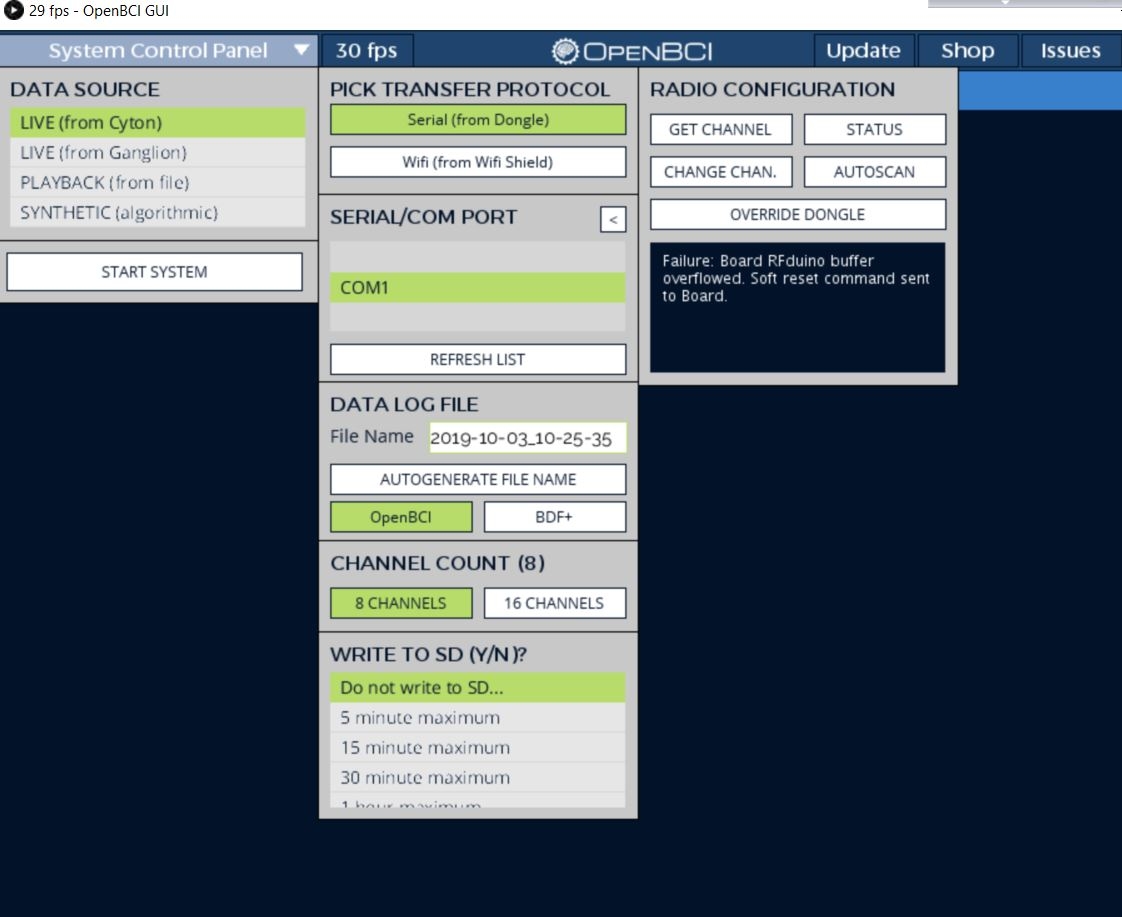
Also getting error: "cyton dongle could not connet to board.Perhaps they are on different channel. Try pressing autoscan".
When I trying to get channel: "Failure. Host on channel 25 ". Means what ?
Shoud I follow @skable procedre as described ?
https://openbci.com/forum/index.php?p=/discussion/2223/is-my-cyton-broken-non-responsive-after-attempted-firmware-upgrade#l
DId you "Try pressing autoscan" as directed by the message?
yes.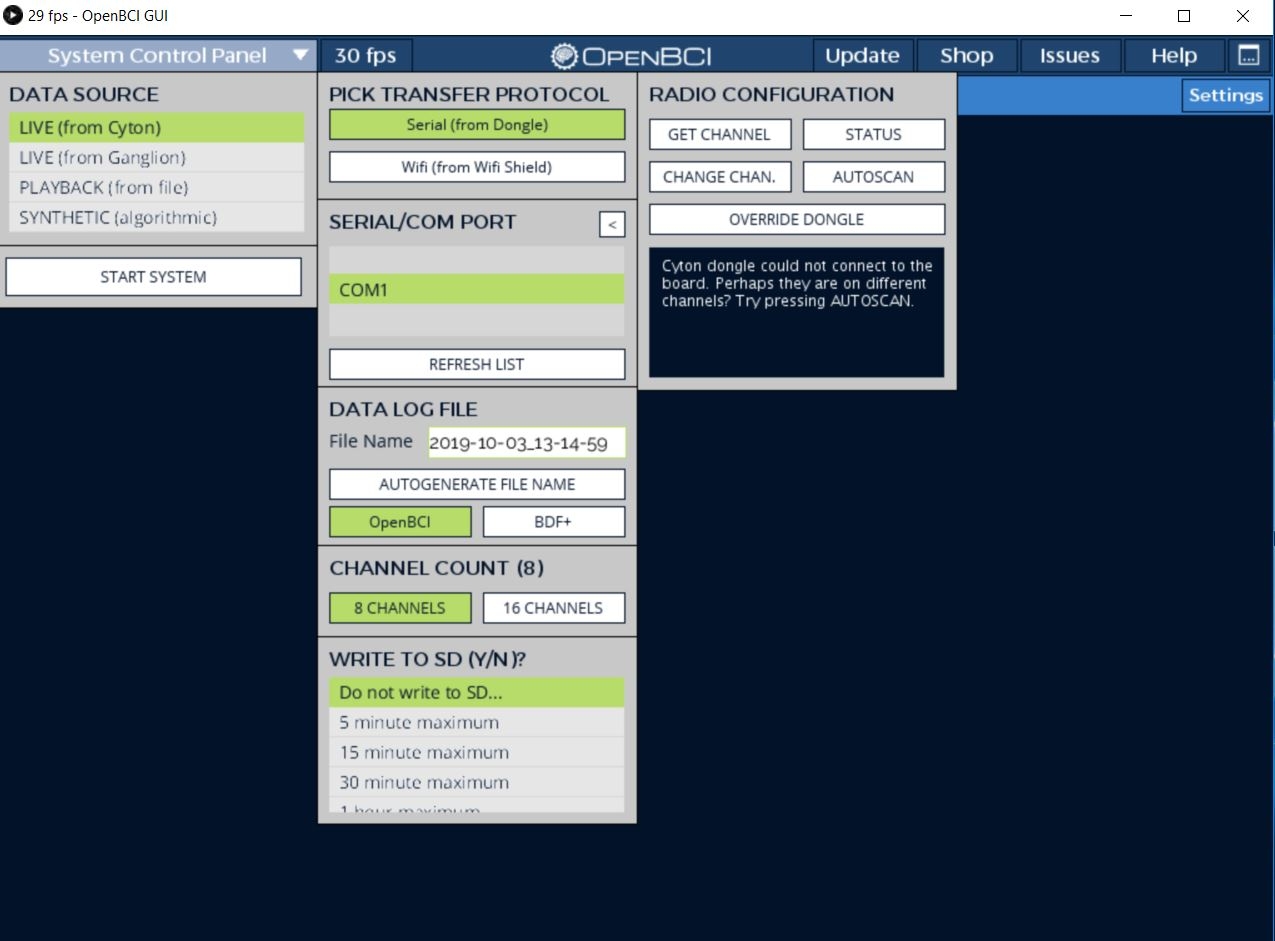
And get channel showing : Host on channel number 25
You previously said "I purchased on January 2019". I assume you mean you purchased the Cyton in NEW condition from OpenBCI directly? And Jan 2019 was NOT the purchase of a previously owned Cyton. Correct? The reason I'm asking is that Cytons purchased in the last couple years ALREADY have the latest RFduino firmware (mainboard and dongle) installed.
The symptoms of your board sound oddly like you have old firmware in the RFduinos.
I don't know.
Should I You can try re-flashing the dongle firmware, by http://docs.openbci.com/Hardware/06-Cyton_Radios_Programming_Tutorial.
Shoud I follow @skable procedre as described ?
https://openbci.com/forum/index.php?p=/discussion/2223/is-my-cyton-broken-non-responsive-after-attempted-firmware-upgrade#l
I am trying now Arduino 1.8.10 IDE.
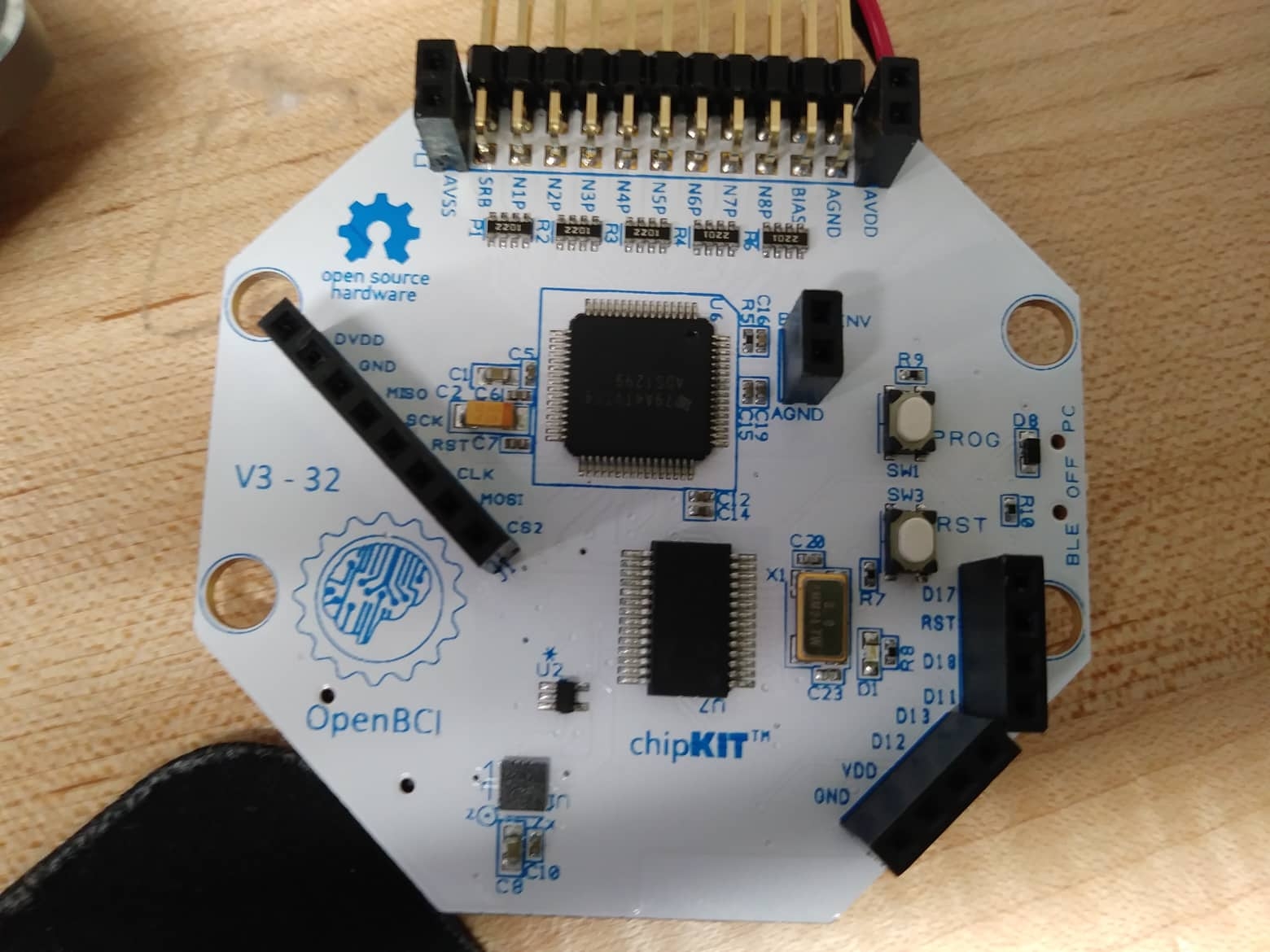
Which chipcore version I should use ?
Before FURTHER confusing the issue, we need to determine what firmware is in the two RFduinos. One in the dongle and the other on the mainboard.
"I don't know". How is this possible? Do you have the receipt from OpenBCI? Or emails from OpenBCI near the time of purchase? What date are those? Please look into this.
Photograph of the board means nothing. They all look the same, regardless of old or new firmware. ALL the boards say V3 - 32, because that is the HARDWARE version, not firmware.
WHEN was this board purchased as NEW from OpenBCI?
Can you please ANSWER my question, "WHEN was this board purchased as NEW from OpenBCI?"
Photos mean NOTHING, as they do not show firmware level.
I received on January , 2019. My professor ordered maximum 2 months before that ?
on the box, written production date 12/11/18
OK. THANK YOU. This means your RFduino firmware is already at latest level. So you don't need to worry about the RFduino reload mentioned at https://openbci.com/forum/index.php?p=/discussion/2223/is-my-cyton-broken-non-responsive-after-attempted-firmware-upgrade
All you need to do is get the PIC32 / chipKIT main processor reloaded.
How can u do this ? I don't want to make any more error. Can u plaese give me a guideline " All you need to do is get the PIC32 / chipKIT main processor reloaded."
Follow these instructions, EXACTLY.
https://docs.openbci.com/docs/02Cyton/CytonProgram
I did it.... But no improvement.
Hi,
I wrote to @Skalbe and @mbamonte.
Mbomonte told me to upload board, at first I have to upload donlge. I set the RFDuino Libraries. But How to select RFduino as a device to upload "RadioPassThrough32bit" to Dongle ?
My dongle led is blinking continuously. Is it damaged ? I uploaded "RadioPassThrough32bit" to Dongle.
Now dongle is fixed but not connecting Cyton board.
Hi,
Can you advice me what to do ? I live on Atlanta, Georgia. Do u know anyone who can help me here ?
Umm, did we not previously conclude and emphasize, that you HAD the latest RFduino code in dongle and mainboard?? Because (1) board was purchased in late 2018 or early 2019. (2) you PREVIOUSLY did not disturb the RFduinos, you only reloaded the main chipKIT processor. Hence before your dongle upload, things were fine.
Now that you have loaded "RadioPassThrough32bit", which is only intended for reloading the mainboard RFduino (so in this case, a useless step) -- did you reinstall the correct dongle firmware? That is more complex than loading the RadioPassThrough.
https://docs.openbci.com/docs/02Cyton/CytonRadios#uploading-host-firmware-to-the-openbci-dongle
Is this is the latest "Upload HOST Firmware Version 2.x.x (Fall 2016)"?
Yes I tried this.
"Yes I tried this", and... ? Were you successful?
If both RFduinos have the correct firmware, you should be able to use the GUI Radio Configuration panel to do these operations:
Or, if something is failing, "Override Dongle".
All of those operations run in the RFduinos, the main processor, chipKIT, is not involved.
After you uploaded the RadioPassThrough32bit firmware to Dongle, that might have destroyed the radio channel number equivalence between the dongle RFduino and the mainboard RFduino. They MUST both be on the same channel to communicate.
So after uploading the correct dongle firmware, you may need to Autoscan, so that they both get back on the same channel. And further, if you have other Cytons or dongles in your lab, they must be TURNED OFF during the Autoscan process. Otherwise Autoscan may get confused by other Cytons in the area.
All this is assuming you did not upload new firmware to the RFduino on the mainboard. And that it still has the original firmware loaded at the factory.
Once the two RFduinos are talking reliably to each other on the same radio channel, then you should be able to upload DefaultBoard firmware to the chipKIT processor.
One last thing to try: it's possible something weird has happened with the usb serial hardware / driver / software on your computer. Try on another laptop to ensure that the COM port shows up when you insert the dongle.