Unable to connect Cyton V3-8 on Win 10 [resolved]

shivasongstershivasongster Philadelphia
edited September 2021 in Cyton

I have an older Cyton V3-8 board. Trying to connect it on Win 10. Updated the FTDI driver. OpenBCI GUI program finds dongle, but won't connect to Cyton. Radios appear to be handshaking on COM4, no other programs running/using the port. See below.

Comments

  • And here's the log:

    Console Log Started at Local Time: 2021-09-27_11-30-26
    Screen Resolution: 1920 X 1080
    High-DPI Screen Detected: false
    Operating System: Windows
    Welcome to the Processing-based OpenBCI GUI!
    For more information, please visit: https://openbci.github.io/Documentation/docs/06Software/01-OpenBCISoftware/GUIDocs
    OpenBCI_GUI::Setup: GUI v5 Sample Data exists in Documents folder.
    ControlP5 2.3.1 infos, comments, questions at http://www.sojamo.de/libraries/controlP5
    TopNav: Internet Connection Successful
    Local Version: v5.0.6, Latest Version: v5.0.6
    GUI is up to date!
    OpenBCI_GUI: AuditoryFeedback: Loading Audio...
    OpenBCI_GUI: AuditoryFeedback: Done Loading Audio!
    OpenBCI_GUI::Control Panel: Playback history file not found.
    OpenBCI_GUI::Setup: Setup is complete!
    sourceList: click! 
    OpenBCI_GUI: Channel count set to 8
    ControlPanel: Found Cyton Dongle on COM port: COM4
    
    -------------------------------------------------
    ControlPanel: Attempting to Auto-Connect to Cyton
    -------------------------------------------------
    
    ControlPanel: Found Cyton Dongle on COM port: COM4
    CytonAutoConnect: Error reading from Serial/COM port
    [WARN]: Found a Cyton dongle, but could not connect to the board. Auto-Scanning now...
    CytonAutoConnect: Error reading from Serial/COM port
    CytonAutoConnect: Error reading from Serial/COM port
    CytonAutoConnect: Error reading from Serial/COM port
    CytonAutoConnect: Error reading from Serial/COM port
    CytonAutoConnect: Error reading from Serial/COM port
    CytonAutoConnect: Error reading from Serial/COM port
    CytonAutoConnect: Error reading from Serial/COM port
    CytonAutoConnect: Error reading from Serial/COM port
    CytonAutoConnect: Error reading from Serial/COM port
    CytonAutoConnect: Error reading from Serial/COM port
    CytonAutoConnect: Error reading from Serial/COM port
    CytonAutoConnect: Error reading from Serial/COM port
    CytonAutoConnect: Error reading from Serial/COM port
    CytonAutoConnect: Error reading from Serial/COM port
    CytonAutoConnect: Error reading from Serial/COM port
    CytonAutoConnect: Error reading from Serial/COM port
    CytonAutoConnect: Error reading from Serial/COM port
    CytonAutoConnect: Error reading from Serial/COM port
    CytonAutoConnect: Error reading from Serial/COM port
    CytonAutoConnect: Error reading from Serial/COM port
    CytonAutoConnect: Error reading from Serial/COM port
    CytonAutoConnect: Error reading from Serial/COM port
    CytonAutoConnect: Error reading from Serial/COM port
    CytonAutoConnect: Error reading from Serial/COM port
    CytonAutoConnect: Error reading from Serial/COM port
    CytonAutoConnect: Error reading from Serial/COM port
    CytonAutoConnect: Error reading from Serial/COM port
    CytonAutoConnect: Error reading from Serial/COM port
    CytonAutoConnect: Error reading from Serial/COM port
    CytonAutoConnect: Error reading from Serial/COM port
    CytonAutoConnect: Error reading from Serial/COM port
    CytonAutoConnect: Error reading from Serial/COM port
    CytonAutoConnect: Error reading from Serial/COM port
    CytonAutoConnect: Error reading from Serial/COM port
    CytonAutoConnect: Error reading from Serial/COM port
    CytonAutoConnect: Error reading from Serial/COM port
    CytonAutoConnect: Error reading from Serial/COM port
    CytonAutoConnect: Error reading from Serial/COM port
    CytonAutoConnect: Error reading from Serial/COM port
    CytonAutoConnect: Error reading from Serial/COM port
    CytonAutoConnect: Error reading from Serial/COM port
    CytonAutoConnect: Error reading from Serial/COM port
    CytonAutoConnect: Error reading from Serial/COM port
    CytonAutoConnect: Error reading from Serial/COM port
    CytonAutoConnect: Error reading from Serial/COM port
    CytonAutoConnect: Error reading from Serial/COM port
    CytonAutoConnect: Error reading from Serial/COM port
    CytonAutoConnect: Error reading from Serial/COM port
    CytonAutoConnect: Error reading from Serial/COM port
    CytonAutoConnect: Error reading from Serial/COM port
    [ERROR]: Unable to connect to Cyton. Please check hardware and power source.
    ConsoleLog: Copying console log to clipboard!
    
    
  • wjcroftwjcroft Mount Shasta, CA

    Hi Shiva,

    I have an older Cyton V3-8 board.

    The "8" on your board label, means that you are using the very very old version of the hardware / firmware based on the 8 bit processor technology. The 'final' version of the Cyton is labeled "V3-32", meaning a 32 bit processor. Unfortunately your 8 bit board is not compatible with the latest GUI. But an older GUI can talk to your board. Do you have the old download for that GUI?

    Alternatively, some 3rd party packages can talk to your board, such as BrainBay, OpenViBE. And I also believe the BrainFlow library would be compatible. Your main downside is that you cannot use the latest GUI versions.

    Regards, William

    Some related threads here,

    https://www.google.com/search?as_q=8+bit+board&as_sitesearch=openbci.com

  • Thanks. I got the newest GUI to work without using the AutoConfig option. It's just not very intuitive. Have to manually select the COM port (highlighted green), then start the stream. I do have an older download I will try too.

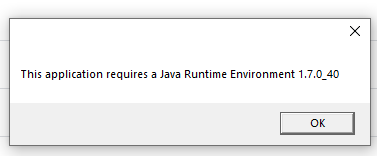
  • The old version of the GUI requires a very old version of the Java Runtime, so I don't think I'd want to use it anyway.
    What I'd really like to do is access the Cyton board's serial port directly - without the need for the GUI app. Can you point me to some resources on that?

  • wjcroftwjcroft Mount Shasta, CA

    The newer GUI has dependencies on features that are in later Cyton (32 bit) firmware (both PIC32 and RFduino's). So not all v5 GUI options / modes will work.

  • wjcroftwjcroft Mount Shasta, CA

    What I'd really like to do is access the Cyton board's serial port directly - without the need for the GUI app. Can you point me to some resources on that?

    I did mention this previously,

    https://brainflow.org/

  • wjcroftwjcroft Mount Shasta, CA

    One other point to note on the early Cyton firmware. It had issues with freezing during long streaming sessions, say 40 minutes, to an hour or more. The freeze point was random. Once frozen, the board must be power cycled to reset.

    All of this was fixed in subsequent PIC32 and RFduino firmware updates.

Sign In or Register to comment.