
immediate exit of OpenBCI_GUI on 2011 MacBook Air [resolved]
 ht_steve1976
Japan
ht_steve1976
Japan
I installed OpenBCI_GUI on the MacBook Air. But OpenBCI_GUI could not be opened like the video.
I tried to open OpenBCI_GUI by using Processing. But the same thing happened.
Does someone know the solution?
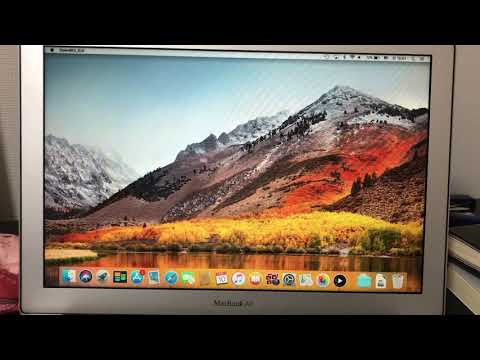
Specification of the Mac
Device: MacBook Air (13-inch, Mid 2011)
OS: macOS High Sierra (10.13.6)
Processor: 1.7GHz Intel Core i5
Memory: 4GB 1333MHz DDR3
Graphics: Intel HD Graphics 3000 384 MB
Comments
It's hard to read the error message box, since it is in Japanese. Can you set your computer to English so we can see the error text? Movie is unnecessary, just post the text in the box. Or snapshot of the box.
Thank you very much for your comment!!
Sorry about that. These are the console log and the error message screenshot.
Console Log Started at Local Time: 2019-11-10_16-24-31
Screen Resolution: 1440 X 900
Welcome to the Processing-based OpenBCI GUI!
For more information, please visit: https://openbci.github.io/Documentation/docs/06Software/01-OpenBCISoftware/GUIDocs
Launching application from local data dir
OpenBCI_GUI: hubStart: OS Detected: Mac
What version of the GUI? Have you tried those listed in the Downloads area or Github releases?
https://github.com/OpenBCI/OpenBCI_GUI/releases
I downloaded the OpenBCI_GUI from the OpenBCI official website. So the version is v4.1.6.
Thank you for your advice and the URL. I'd like to try some versions!!
Thanks to your help, I found the way to use OpenBCI_GUI.
I tried v.4.1.5, v.4.1.3, v.3.4.0, v.4.0.2, v.4.1.2, v.4.0.4, v.4.1.0 in the order.
The versions which are later than 4.1.0 and 4.1.0 were not worked on the Mac. The versions which are older than 4.1.0 were worked on the Mac. But the function of networking(LSL) was not worked on v.4.0.2.
However, that function was worked on v.4.0.4. So I decided to use v.4.0.4 temporally.
Richard @retiutut, what could be going on here? Is there a log file with more information?
Steve, glad you found a workaround. You are using Cyton, correct? With some of the older Macs, the built in Bluetooth has glitches, so all Macs who are using Ganglion (not your case) are recommended to use the external BLED112 dongle.
William
This is probably a problem with the Mac, OS, or installed drivers. Just tested 4.1.7-beta.0 standalone on a MacBook Air (Mid 2012) 10.13.6 with no issues.
Maybe this is caused by the Mac language set to Japanese instead of English. The GUI is written in English with English characters.
It would be really nice if we could see the report from OS X.
Steve, press the Report button and show that screen. Also be sure your FTDI driver is up to date:
https://www.ftdichip.com/Drivers/VCP.htm
I'm using Cyton.
I'm sorry, I maybe took a mistake. The LSL function can not be working on v.4.0.4.
I think I didn't select Data Type or ON last time. So the problem still remains...
Thank you for your comment.
I think that's not a language issue. I changed the language from Japanese to English.
However, the problem still remains. And I attached the problem report from Mac OS X.
I would like to appreciate your kind help.
Thank you very much for your comment.
I attached the problem report on this comment.
I installed FTDI driver, then I tried v.4.0.4 and v.4.1.6. However, the situation was the same, which the OpenBCI_GUI could not be opened on v.4.1.6 and I could not use the LSL function on v.4.0.4.
I would like to appreciate your kindness.
It looks like the main Java/Processing drawing thread is crashing. This points to a problem with computer and drivers.
Steve, the Processing Language uses OpenGL libraries to talk to your graphics hardware ('card'). Sometimes on an old machine (2011) with old graphics hardware, the OpenGL supplied in the macOS you are running (High Sierra) may not operate correctly with the OpenGL library. There may be some workarounds in these search results:
https://www.google.com/search?q=opengl+driver+macos
Also, it wouldn't hurt to download the latest Java, even though I try to make sure it gets packaged with the App.
https://www.java.com/en/download/
Thank you very much for your comments. Sorry for the late reply.
I updated Java, but the OpenBCI_GUI v.4.1.6 couldn't work... The OpenGL version on this Mac is v.3.3. This is the problem, right?
So I should use OpenBCI_GUI v.4.0.4.
However, I couldn't use the LSL function on v.4.0.4. I could use OPENBCI_GUI and see the brain waves, but the program stopped if I push the button of start on the LSL page.
Is there any way to use the LSL function on v.4.0.4?
It’s time to update your Mac OS then. I only recommend using the latest GUI, as there have been Many improvements in the last year. LSL was completely broken for a long time. It works now thanks to hard work. Try 4.1.7-beta.2 on latest MacOS.
Here is an unfortunate fact of Apple's planned obsolescence. Mojave and Catalina cannot be run with the MacBook Air 2011 that Steve has. High Sierra (what he is running), is the last macOS for that hardware.
https://www.google.com/search?q=macbook+air+2011+macos+mojave
Most likely your best option would be to use another laptop, even Linux or Windows, that does have decent and current OpenGL support. Apple has now 'deprecated' OpenGL, in favor of promoting it's own hardware graphics access API, called 'Metal'. It's unclear how the Processing Language development team will address this going forward. If you search on this, you can see it is a topic of debate and discussion in the Processing community.
https://www.google.com/search?q=processing+language+opengl+metal
Richard may comment here (about next suggestion), but you may be able to use a Virtual Machine app, such as the free VirtualBox, to install a virtual copy of Linux inside your macOS installation. Or even dual-boot into native Linux. My advise is that such virtual setups are never as reliable or easy to setup as running an OS natively. But if you are desperate and cannot afford a used Linux laptop (only one or two hundred dollars) -- VirtualBox may provide an escape route. With the downside of it being multiple times more complex than running a native OS laptop.
William
Finally, I borrowed a newer Mac which can use OpenBCI_GUI v4.1.7-beta.2. Then the problem didn't happen anymore.
Thank you very much. Your comments were so helpful.
Please use 4.1.7 Stable version.
Okey, thank you very much!!